

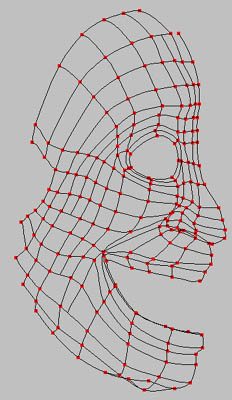
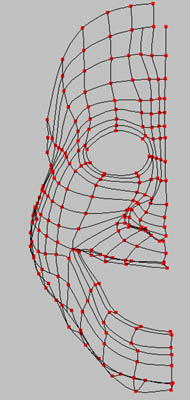
Flip and connect the two halves...
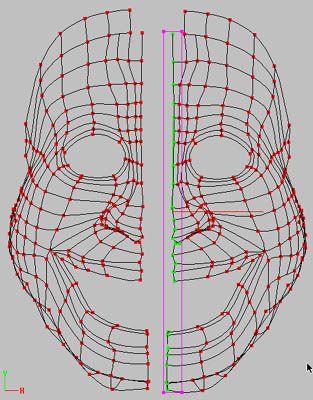
This is the copied "X axis flipped" half head.
Use the spline-connected shortcut (on my Mac it is the (')key) not the Group tool to select the vertical spline to be deleted.
With this technique you keep all the CP in each horizontal spline to connect the two halves...
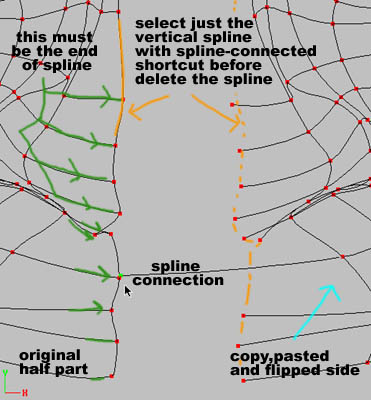
Be sure that all horizontal splines are ending at the vertical spline.
With the "spline-connected" shortcut used to select the vertical spline, you will notice immediately if the horizontal splines are not ending correctly in relation to the vertical splines.
Correct this if it happens by disconnecting the bad-ending splines, cut and reattach them to make sure they end on the corresponding vertical splines.
Skull Extrude / Reduce Complexity / Neck Connection / Ears Connection
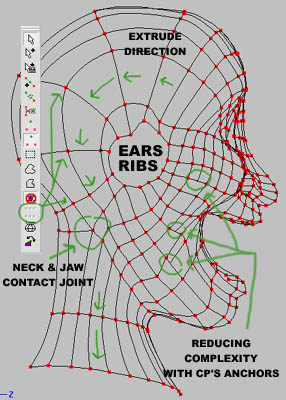
Reducing complexity in the cheek region gives more flexibility to create expressions and lip poses.
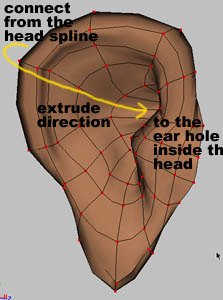
Note that just the external side of the ear is connected to the skull, the ear hole is going right inside the head
Nose and Eyes
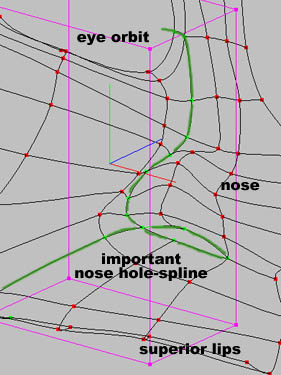
The S.A.Y's nostrils spline technique .
If you want an inside nostrils,just extrude it...
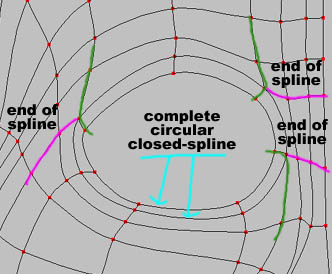
This is where I place the end of spline around the eye,I keep a circular spline for the orbit and extrude it for the eyelid...
