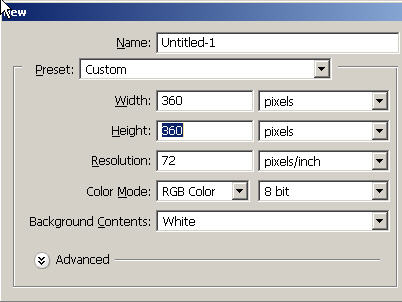
Start off with a decent sized document.
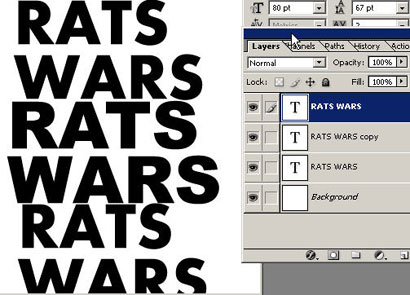
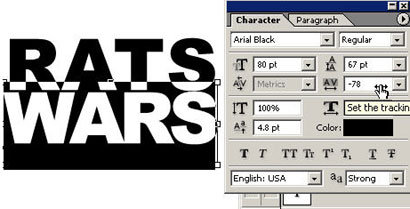
What we're going to do here is create a similar version to a very well-known movie logo and marketing campaign. What I've done is taken the Text tool 'T' and entered some text and then scrolled through the different fonts in my collection to come up with the closest possible alternative that I could re-enact.
As a designer you can learn a lot from studying and breaking apart famous designs and trying to re-produce them. You will learn a lot as your mind zero's in on bringing up your Photoshop skills to be as effective to the end result as possible. It helps sharpen your intuition and force (learn to maximize your skills here).

I've chosen Arial Black. I'm setting the tracking to a negative so the letters are closer together.
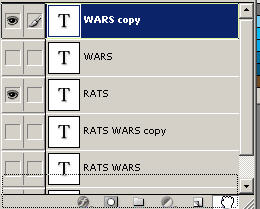
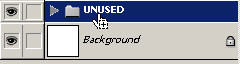
In the layers palette, create a new layer set (the folder) and drag the unused layers (turn the eyeballs off) into the folder in case you want to use them later. I'm a packrat in the new bratpack so I tend to save lots of additional layers (you might just want to trash 'em).
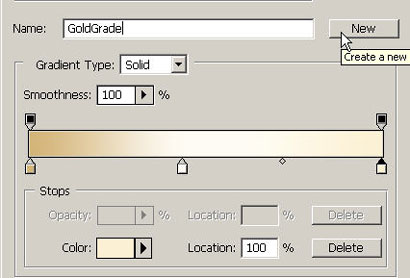
Go to your gradient tool 'G' and you can see your gradients in the options bar. Here you are going to create a new gradient and store it there for later use.
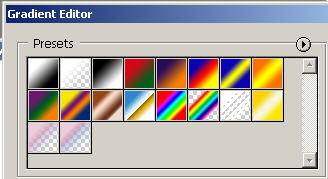
You are going to create your own custom color stops. Click on the first color stop and choose a color that is very similar to this. Remember that in the color picker you can use the turkey baster/eyedropper to sample the colors from an open and visible document.
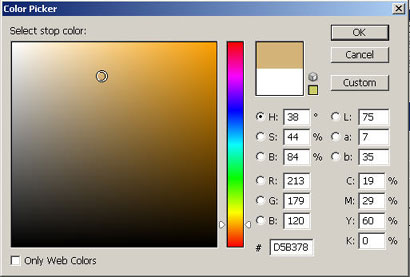
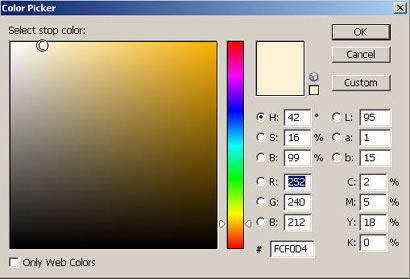
Create a very light white in the same shade as the middle color stop (click on the bottom of the bar to add a new stop and drag away to delete. You can create a new color stop from any gradient. Do the last color stop in this color. Now you have a nice sandy warm color gradient. Go ahead and name it and click New to put it in the gradient menu. Remember this process. There's be no one to stop you...next time. Get 100 free PS downloads @ psdownloads right here.