1. Begin with a new file, size and color doesn't matter. Then take the Text Tool and type in your text the color on the text doesn't matter.

2. Now press Ctrl and click on your text layer. Then open up the image you want to use, when you have your image open press Ctrl+A to select all and then press Ctrl+C to copy, now go back to your text and then go to Edit>Past Into.

3. Then right click on the layer and choose Blending Options, and apply these settings.
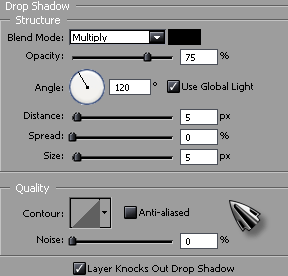
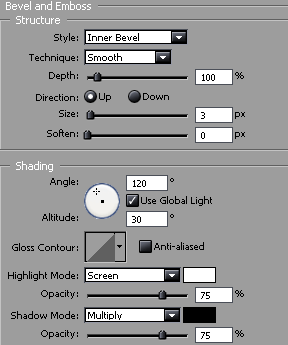
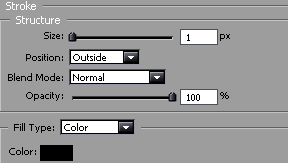
Click OK and you're done! This is what I came up with.