Re-create the text from God of War!
Open up a new image any size and create some black text to your liking

Add these layer-styles to it
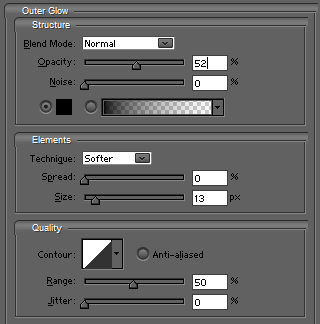
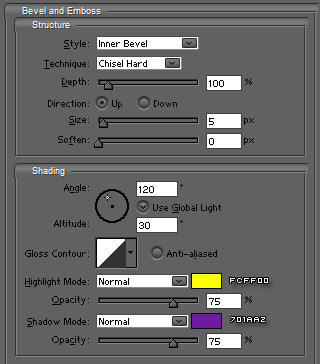
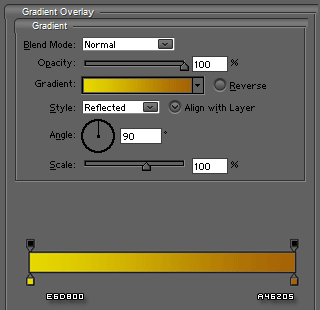

Duplicate the text-layer, clear the layer-styles and press CTRL+I

Set the blending-mode to OVERLAY

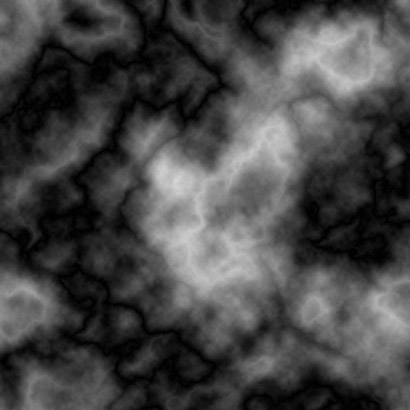
Create a new layer above the white text and go to FILTER>RENDER>CLOUDS
Go to FILTER>RENDER>DIFFERENCE CLOUDS and press CTRL+F several times (aprox. 6)
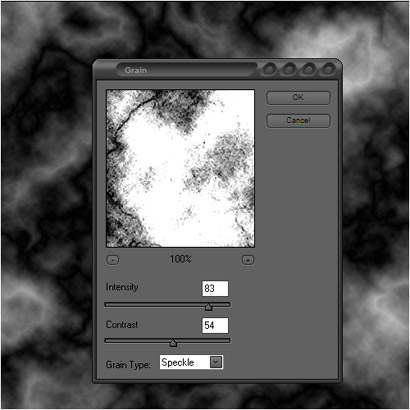
Go to FILTER>TEXTURE>GRAIN and add these settings
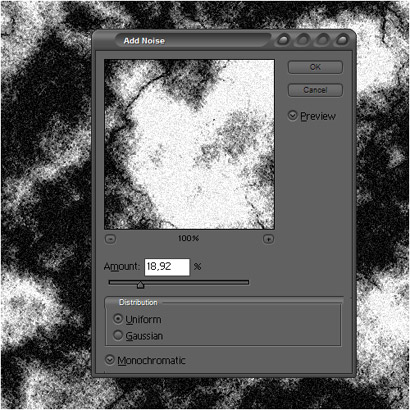
Now go to FILTER>NOISE>ADD NOISE and add these settings
Now you could also change the background or leave it be ;)