Her
Home
Photoshop Tutorials
Text Effects
BountyHunter Metal
BountyHunter Metal
Author: MickM.com
Author's URL:
www.mickm.com
More by this author
Added:
Sep 07, 2005
Rating:
Level:
Beginner
Software: Photoshop
Copy the metallic style from the BountyHunter-text!
Create a new document with some black text;
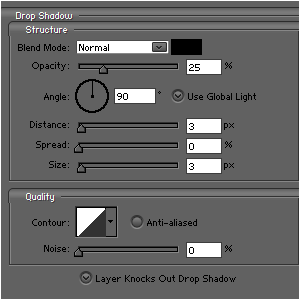
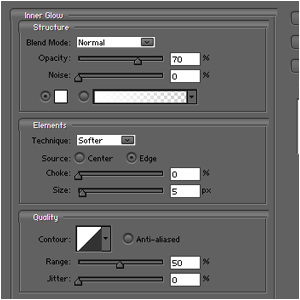
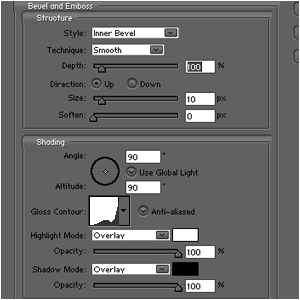
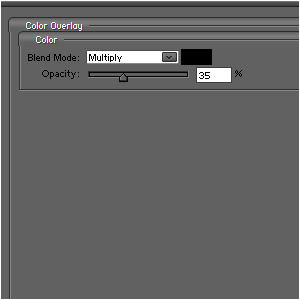
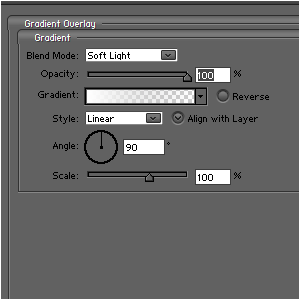
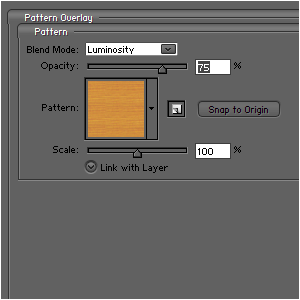
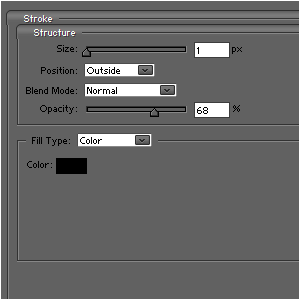
Add these blending-options to it (
Note:
the pattern i used was a standard one, so you should have it as well);
You should get something like this;
Hold CTRL and press the layer/thumbnail to select the text;
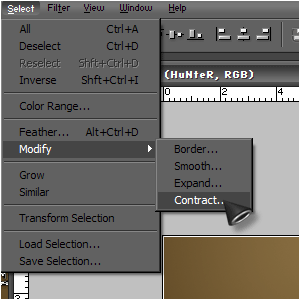
Go to SELECT>MODIFY>CONTRACT and choose a number depending on your image-size (NOTE: I used 3);
Fill the layer with black and go to FILTER>NOISE>ADD NOISE and add a little bit of noise:







 Level: Beginner Software:
Photoshop
Level: Beginner Software:
Photoshop 