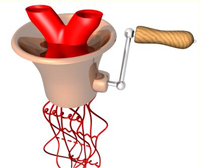
 Converting a Number to a String
Here is a quick question. What do you think will be the typeof the following variable: num1= "45";
If you said, "number" you are wrong! Yes- it is a number, and eventhough the variable name is "num1" that does not matter. It could be named anything. What matters is that the values are enclosed in double quotes. So, automatically JavaScript is recognizing the variable as a string. So if you answered "string" then you are on top of this!
parseInt();
But what if you wanted that variable to be recognized as a number instead of a string? Well, that is where parseInt(); function comes to play. So before you can perform arithmetic operations on a group of numbers, you need to know you're dealing with numbers!
parseInt's duty is to convert a string into an integer. It starts this process from the left hand side, and begins converting digits until it runs into a non numerical digit. From this point, the process will stop. Whatever has been converted will automatically be assigned to the variable. If the first character encountered is not a numerical value, then parseInt will display "NaN" - which stands, for not a number.
Now a pratice use for parseInt would be if you are using numerical values obtained from user input. So, if they enter, "stupid" instead of a #, you can test with parseInt if it is indeed a number, and if not re-prompt them to enter a value.
Here is an example of how parseInt(); will work:
|
var1 = parseInt("7UP"); // --> var1 = 7 var2 = parseInt("1237UP"); // --> var2 = 1237 var3 = parseInt("Whazzzup"); // --> var3 = NaN var4 = parseInt("123ABC123"); // --> var4 = 123 var5 = parseInt("678.912"); // --> var5 = 678 |
As you might see in var1 and var2, parseInt stopped after "7" in var1 because of the "U", and in var2, it stopped after the "7" because of the "U". In var3, it saw the "W" and saw it was not a number (NaN). For var4, it stopped after the number "3" because of the "A", eventhough after "ABC" numbers pick back up- parseInt stops after the first non numeric digit, not all digits within the variable. var5 stopped when it saw the "." because it is a non numeric digit as well.
Though with parseInt(); JavaScript will not recognize letters, if you do use a minus sign (-), the string will be converted to a negative number. The same concept applies to the plus sign (+) where it will be considered a positive number. BUT, if the "+" or "-" sign appears anywhere else that then first character, they will be considered a non numeric character.
parseFloat();
What you needed to recognize floating point numbers? Well, this is where the parseFloat(); function comes into action. parseFloat works exactly like parseInt, except it works with floating point numbers instead of just integers. So when parseFloat comes to a period "." it will interpret it as a decimal point (where parseInt saw it as a non numeric digit). However, if a second period is noticed, parseFloat will see it as a non numeric digit.
examples:
|
var1 = parseFloat("123.123NAG"); // --> var1 = 123.123 (seeing the "N", and stopping) var2= parseFloat("123.123.123"); // --> var2 = 123.123 (seeing the ".", and stopping) |
Converting Strings to Numbers
Ok, working opposite now. What if we have a string, and want to make it a number? well, we are lucky that JavaSript has the toString(); function! How you will use this, is by simply adding the toString(); function at the end of your variable name seperating the variable and function with a period.
heres your example:
|
num1 = 999; str1 = num1.toString; |
there is also another way to turn a number into a string, and that is by adding double quotes to it right? Yup, so we will do that by using this method below in the code example:
|
num1 = 999; str1 = "" + num1; |
There you have it. Now you knw how to convert a string to a number.
Here is a sample JavaScript program using the information we covered:
