OK, everybody wants to make water. The best water comes from a good 3d package or something like Bryce. Well, if you don't have either of those this is a pretty good alternative to making water in Photoshop.
- Start with a new image, we'll use the one we made for the title. It is 350x76.
Select your foreground and background colors to the colors for your water. We used white(0,0,0) and blue(255,0,0).
- Now, create a new layer and Filter/Render/Render Clouds.

- Next, Filter/Artistic/Sponge. Play around with the setting depending on the size of the water you are making. We used 1,13,14.

- Now, Filter/Artistic/Plastic Wrap. Again, play around with the settings. We used 7,7,10.

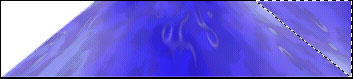
- Now you have some water. We decided to add some perspective to the water by using Edit/Transform/Perspective.
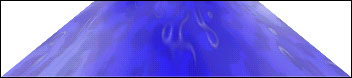
- To
fill in the edges, make a copy of the water layer and flip it
vertically. Then move it to the end to fill in the rest of your image.