Her

Home Photoshop Tutorials ImageReady Animation Comics-style Animation (Exclusive Tutorial)

Comics-style Animation (Exclusive Tutorial)


We're all familiar with old comic book heroes and their modern silver screen performances. From Batman, Spiderman, and Superman to CatWoman, we've seen many high-tech creatures and applauded many skilled makers. Now it's time to animate our comic-style heroes.

Open the picture that you want to animate in Photoshop.

image 1

Duplicate the layer 3-4 times. Choose the first layer and apply the filter Graphic Pen filter with the following settings:
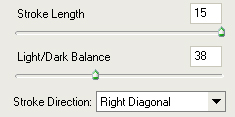
image 2

Do the same with all remaining layers, decreasing the parameter for the Stroke Length by 1. After you have done this, go to Image Ready. There in the animation panel click on the triangle at the top-right and chose Make Frames from Layers. Immediately you should get frames from the layers. Then select all frames (left button click on the first frame, then holding shift left button click on the last frame) and set the delay time at 0.1 (click on any of the timers and set desirable time).
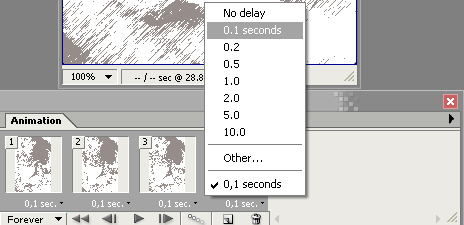
image 3

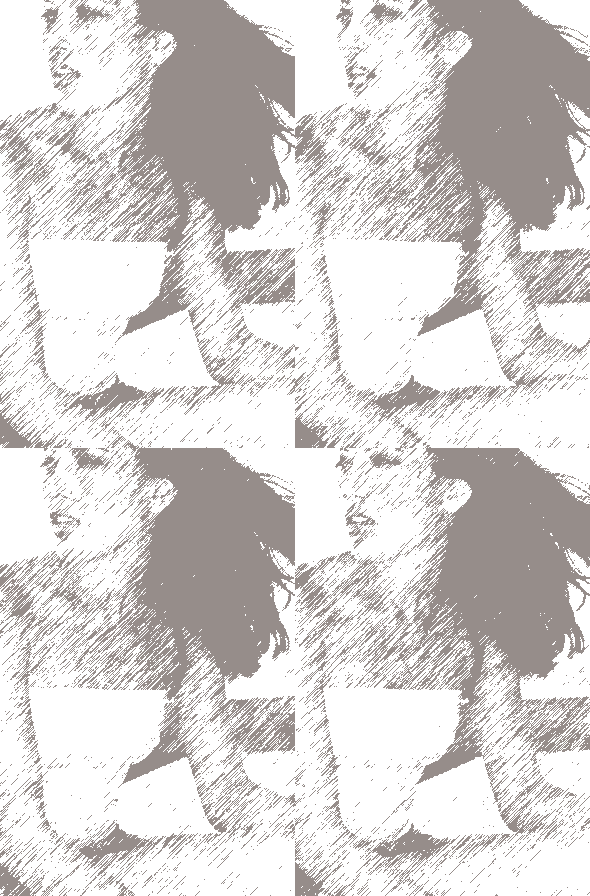
Click on Preview in iexplore (Ctrl+Alt+P) and view the results:
Comics-style Animation (Exclusive Tutorial)

About the Author:

Click to Visit Author's Website

Dustin Kein is an editor at Web Design Library. He's in charge of selecting materials for the PhotoShop and HTML sections of this site. From time to time Dustin contributes some of his tutorials to WDL in order to cover the most actual topics for WDL visitors. Besides this, he's an active forum member whose posts are always helpful, concise and timely.
