


Step 1:
Let's open an any car pic you want, i choose a Porsche Cayenne (which is not so ordinary).
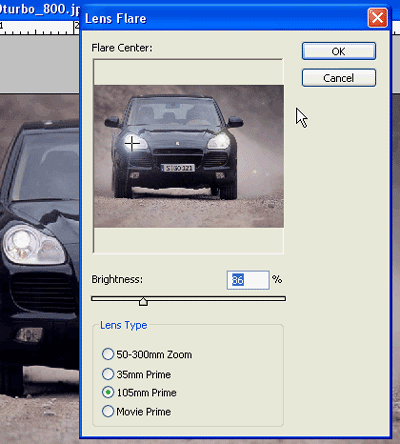
Now apply the following filter to the pic choosen: Filter > Render > Lens
Flare
These are settings:
Brightness: 86,
Lens Type: 105mm.
After that, place the " + " over your car light like i did (Image 1)
Step 2:
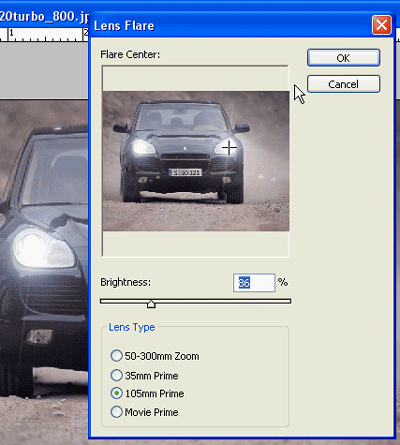
Now we have to follow 1st step again and apply effect to the 2nd light (the one on the right in this time).
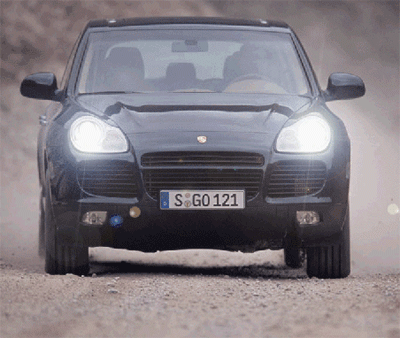
And here you are the final result:
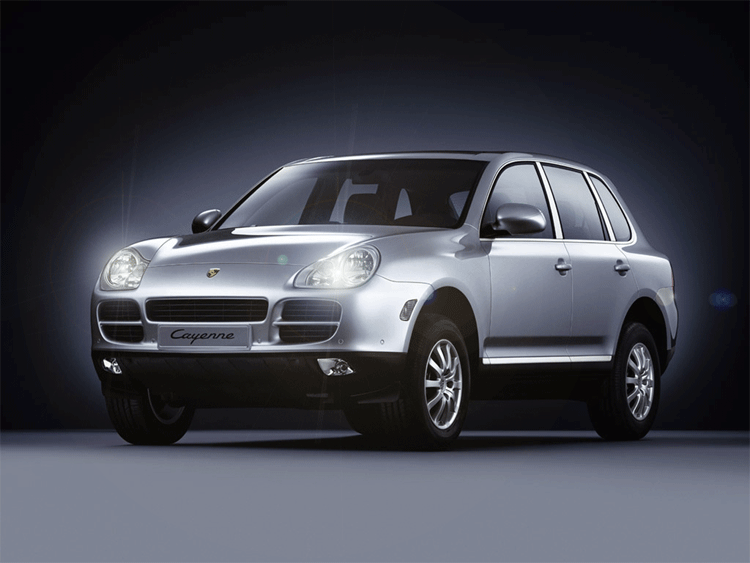
Now you can apply this good-looking light effect to whatever you want, and
as you can see you can have a really realistic final effect:
Have you some problem to see video tutorial? Download this CODEC: TSCC_codec.rar
Problem with download video tutorial? Right click, Save Target As...
