<html>
<head>
<style>
.text
{
FONT: 10pt arial;
COLOR: black
}
</style>
<script language="JavaScript">
<!--
var backColor = new Array(); // don't change this
// Enter the colors you wish to use. Follow the
// pattern to use more colors. The number in the
// brackets [] is the number you will use in the
// function call to pick each color.
backColor[0] = '#ccffff';
backColor[1] = '#ccffcc';
backColor[2] = '#ffffcc';
backColor[3] = '#FFFFFF';
// Do not edit below this line.
//-----------------------------
function changeBG(whichColor){
document.bgColor = backColor[whichColor];
}
//-->
</script>
</HEAD>
<BODY>
<br><br><br>
<center>
<TABLE width="150" border="0" cellpadding="0" cellspacing="0" bgcolor=#F5F4E0>
<tr>
<td colspan=3><img src=images/spacer.gif height=10></td>
</tr>
<tr>
<td><img src=images/spacer.gif width=10></td>
<td bgcolor=white align=center><center>
<form name="choiceForm">
<table border=0 cellpadding="0" cellspacing="3">
<tr>
<td valign="top" width=175><center>
<!--Changing bg color with mouseOver.
Set the number in the () in the changeBG() function
to the number of the color in the brackets in the
backColor[] array to select a given color.//-->
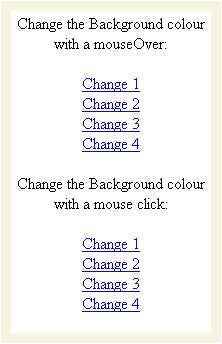
<font class=text><b>Change the Background colour with a mouseOver:</b></font><br><br>
<a href="#" onMouseOver="javascript:changeBG(0)" class=text>Change 1</a><br>
<a href="#" onMouseOver="javascript:changeBG(1)" class=text>Change 2</a><br>
<a href="#" onMouseOver="javascript:changeBG(2)" class=text>Change 3</a><br>
<a href="#" onMouseOver="javascript:changeBG(3)" class=text>Change 4</a><br><br>
<!--Changing bg color with a mouse click.
Set the number in the () in the changeBG() function
to the number of the color in the brackets in the
backColor[] array to select a given color.//-->
<font class=text><b>Change the Background colour with a mouse click:</b></font><br><br>
<a href="javascript:changeBG(0)" class=text>Change 1</a><br>
<a href="javascript:changeBG(1)" class=text>Change 2</a><br>
<a href="javascript:changeBG(2)" class=text>Change 3</a><br>
<a href="javascript:changeBG(3)" class=text>Change 4</a><br>
</center></td>
</tr>
</table>
</form>
</center>
</td>
<td><img src=images/spacer.gif width=10></td>
</tr>
<tr>
<td colspan=3><img src=images/spacer.gif height=10></td>
</tr>
</table>
</center>
</body>
</html>
|