
1- Open the image you wish to bring into the third dimension:
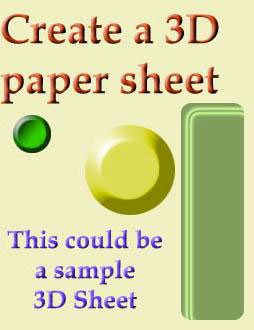
2- Add a new layer below your image and make the Image -Canvas Size a lot larger.
Now go to image-rotate canvas-90°CCW.
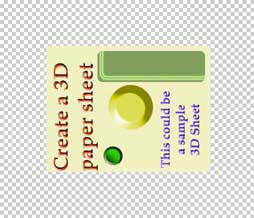
3- Make sure your sheet has no white border and apply Filter - Distort - Shear as shown in the example above:
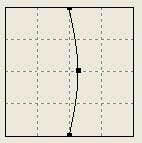
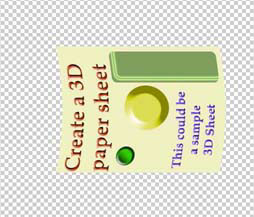
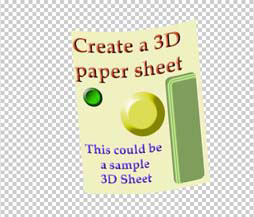
4- Now got to Edit - Transform - Rotate and rotate the image-layer clockwise until it's almost upright, refer to my image:
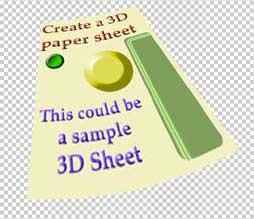
5- Bring up Edit- Transform- Perspective and move the lower right adjustment point outward to achieve what you see below:
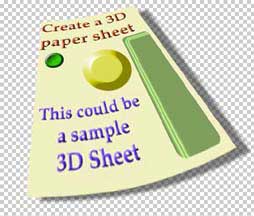
6- Next step is applying a shadow:
Layer - layer Style - Drop Shadow. Adjust to make it look like that:
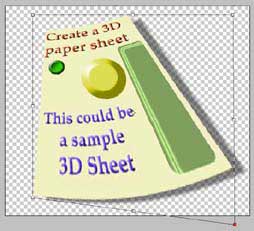
8- Bring up Edit - Transform - Distort and move the lower right adjustment point like i did it.
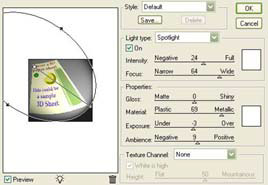
9- Add some lighting effect on the right corner:
Filter - Render - Lighting effect:
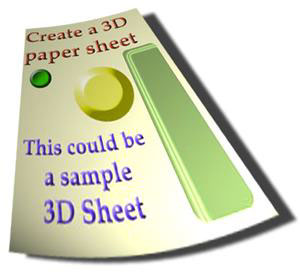
And that's it!
 Yellowpipe offers Photoshop Tutorials as well as Serious Web Hosting and unique Free Webmaster Tools.
