


1- Open a new document, and create a text. Keep it selected. After you do that, press CTRL + C to copy it (macintosh: command + C) and then deselect the text after you copy it.

2- Now apply a blur. FILTER > BLUR > MOTION BLUR and set the ANGLE to 0 degree's and distance between 10 and 20 (15 is good).
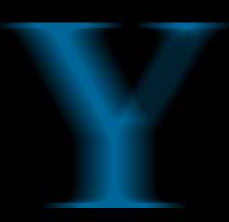
3- Now press CTRL + V for PASTE (macintosh: command + V). It should automatically create a new layer with the text. Make sure the text in on top of the blur.
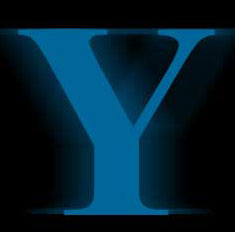
4- Now apply a blur again. FILTER > BLUR > MOTION BLUR and set the angle this time to 90 degree's.
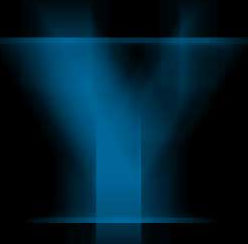
5- PASTE again! This should be your 2nd layer if you done this right. Now apply a gaussian blur of about 4.5.
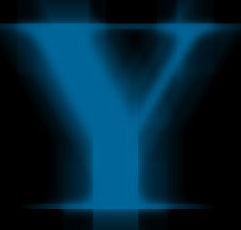
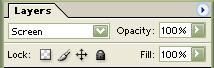
6- And then go to PASTE again! And this time go to your layers palette and apply a screen layer effect. And it should look something pretty bright like this :
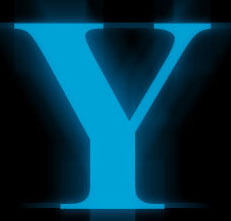
7- Now select the 3rd layer or the layer that you applied the screen layer effect to with the magic wand tool. Make sure the tolerance on the wand is set to a high intensity to get the whole text selected. And then apply a foreground (white) background (light blue) gradient.
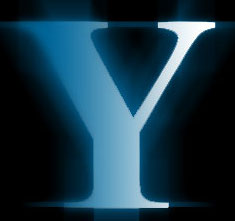
8- That's it! Add a couple of sparkle's to get things moving. (To add sparkle, go to your BRUSHES tab and then click on the ARROW button and drop the menu down. Select LOAD BRUSHES, and browse your HD to PROGRAM FILES > ADOBE PHOTOSHOP 7> GOODIES > BRUSHES. And load it and you should already have a default Starbust Large Brush. Use paintbrush to apply it like we did here.)
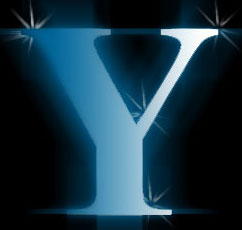
9- Now add Bevel and Emboss to this layer with Style : Inner Bevel, Smooth, Depth 100%,Size 5 px and Soften 0 px :
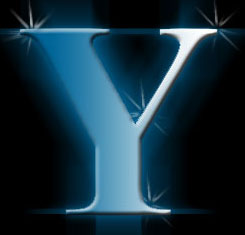
10- Now resize your image to the size you need. Usually the half of the size you were working with :

 Yellowpipe offers Photoshop Tutorials as well as Serious Web Hosting and unique Free Webmaster Tools.
