


In this tutorial you will learn how to create a kind of broken glass effect with text.
1. Create a new document in Adobe Photoshop, any size. I have used 218 x 84.
2. Write in your text.
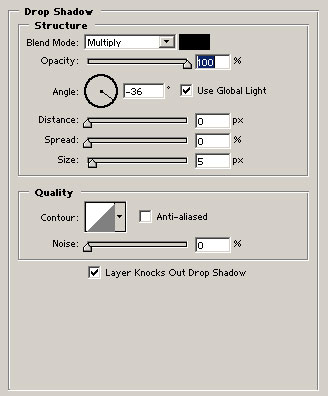
3. Right-click on your text, go to Blending Options > Drop Shadow
and set these settings:
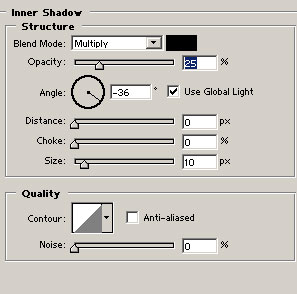
4. Go to Inner Shadow and set these settings:
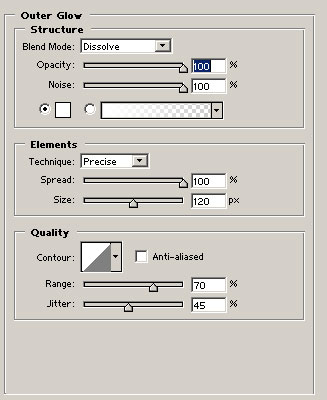
5. Go to Outer
Glow and set these settings:
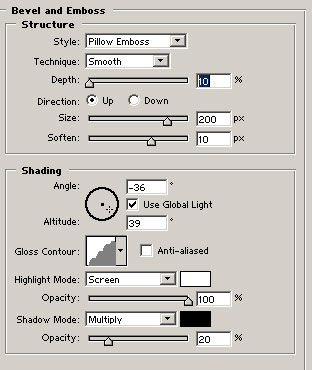
6. Go to Bevel and Emboss and set these settings:
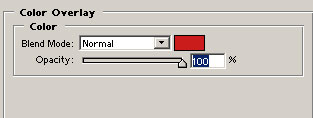
7. Go to Color Overlay and set these settings:
Now it should look like this:

