Step 1 : First of all make a new document (Ctrl + N)
width = 150
height = 30
Right-click on the background and select Duplicate layer...
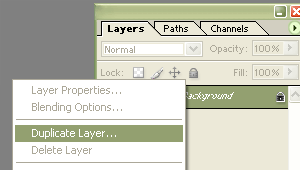
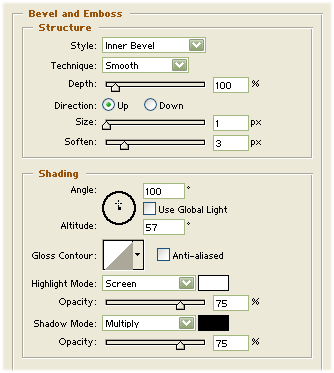
Step 2 : Right-click on the copy of background and select Blending Options -> Bevel and Emboss.
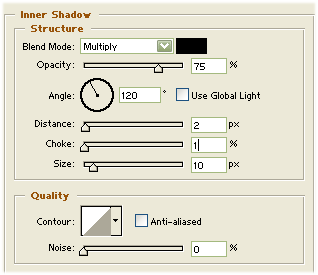
Step 3 : Then select Inner shadow in the Blending Options:
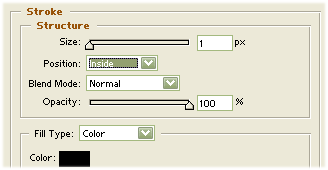
Step 4 : Then Stroke in the Blending Option:
Step 5: Now it should look like this: