Step 1: First Select A Simple Picture:

Step 2: And Select Magnetic Lasso Tools:
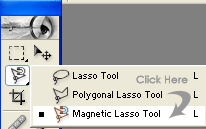
Step 3: Then start the magnetic tool from the sides of tweety bird:

Step 4: Now marquee all the tweety bird site in these options:

Step 5: Then Click on paint bucket tool in These options:
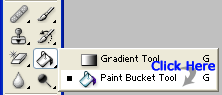
Step 6: And Select Magnetic Lasso Tools:
Step 7: So now one click in the tweety bird then see these options:

Step 8: Now your Tweety Bird will be Looking like this: