Step 1: First click on ellipse tool  and make
a simple shape:
and make
a simple shape:

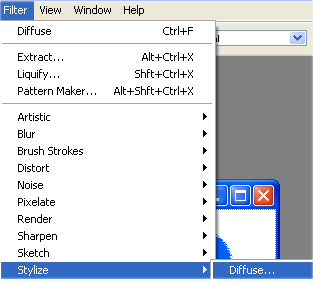
Step 2: then go to Filter > Stylize > Diffuse:
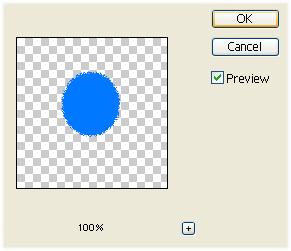
Step 3: Now use these options:
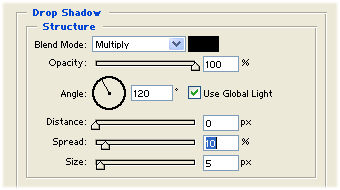
Step 4: Now right click on the shape 1 and select Blending Options. Then select drop shadow with these settings:
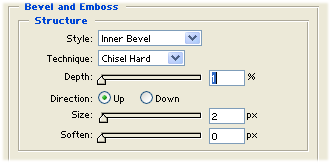
Step 5: Select Bevel and Emboss with these settings:
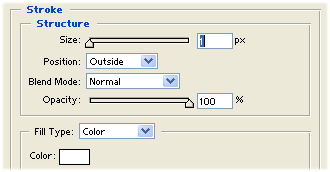
Step 6: Then select Stroke with these settings:
Step 7: Then select Ellipse tool again
and make eyes for cartoon like this one:

Step 8: Then make a nose for cartoon looking like this one:

Step 9: Then click on Custom Shape tool and
right click on the cartoon:
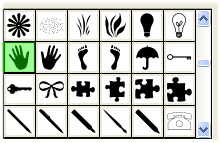
Step 10: At last make hands looking like this one and then right click on the shape one. Then right click on shape and select Copy Layer Style. Then right click on the hand in layer style and then select Paste Layer Style...
Then it will be look like this: