Step 1: First select the Rounded Rectangle tool  and
make a shape like this one:
and
make a shape like this one:

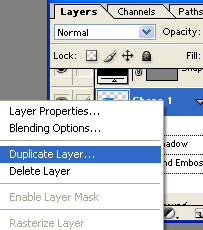
Step 2: Right-click on the shape and select Duplicate Layer:
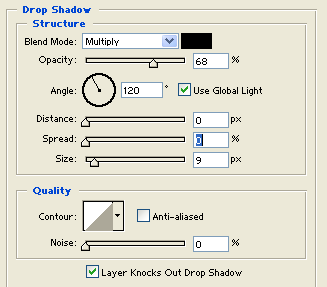
Step 3: Select Drop Shadow with these options :
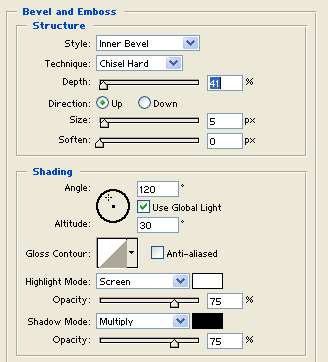
Step 4: Select Bevel and Emboss with these options :
Step 5: Go to Filter > Texture > Texturizer and set these options:
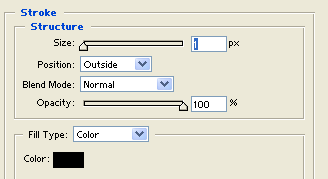
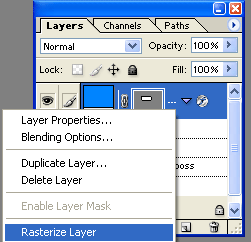
Step 6: Then right-click again on the shape and select Rasterize Layer:
Step 7: Select the Eraser Tool and click on the left and right sides: 

Step 8: Select the Line Tool  and put 2 lines on the holes:

Step 9: Write your text:

Your logo is finished.
