


Step 1: First make a small circul like this one :

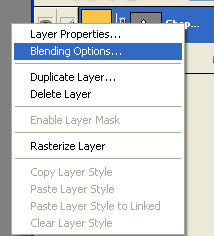
Step 2: Then push in keyboard (F7). Then right click on the circul in these options:
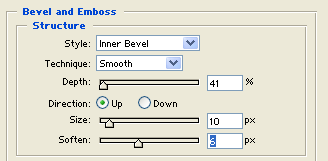
Step 3: Select Bevel Emboss with these options:
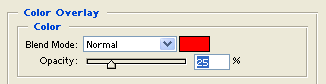
Step 4: Select Color Overlay with these options:
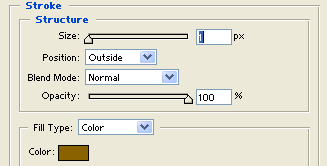
Step 5: Select Stroke with these options:
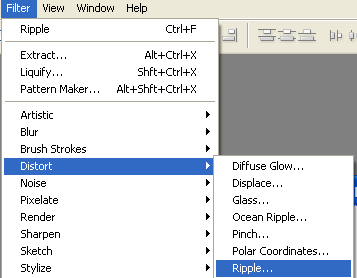
Step 6: So now go Filter / Distort / ripple with these options:
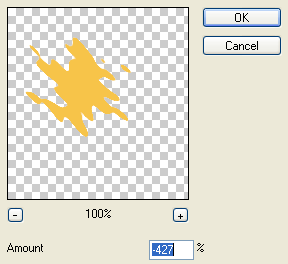
Step 7: Now see these options:
Step 8: At last write a simple text:

Your stylish logo is finished.
