

Step 1: Write a simple text:

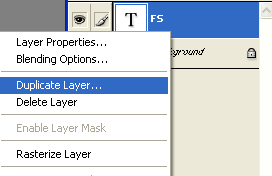
Step 2: Right-сlick on the text and select Duplicate Layer:
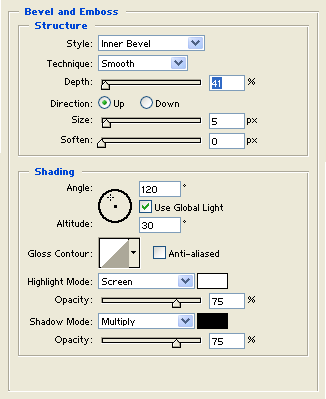
Step 3: Select Bevel and Emboss with these options :
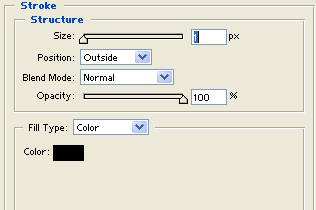
Step 4: Select Stroke with these options:
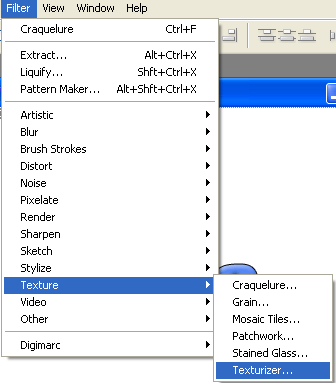
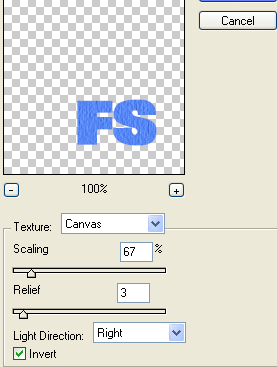
Step 5: Go to Filter > Texture > Texturizer:
Step 6: Set these options:
Step 7: Your text is finished:

