

 |
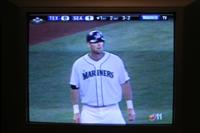
1. The dark stripes that appear on CRT
televisions or monitors are commonly seen in photographs. To understand why this happens, we must
understand how CRT work. All CRT (Cathode Ray Tube) have a refresh rate. A refresh rate defines how fast the frames are being shown. For example, if a monitor has a refresh rate of 60hz, it means that the image is being shown and updated 60 times a second. At 60hz, the monitor will flash the image 60 times every second. How does refresh rate relate to dark stripes in photos? As the monitor flickers, the camera records the extra frames. When a blank frame is shown, it merges the blank frames with the video frames causing some parts of it to appear darker. |
|
| |
||
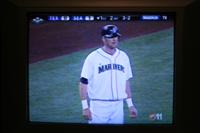 |
2. To photograph without the dark stripes, we simply have to use the same shutter speed on the camera as the same refresh rate on the television/monitor. This way, the camera isn't taking any extra frames. Most television are 60hz and by default, computer monitors are 60hz as well. A shutter speed of 1/60th of a second will match the speed of the television/monitor for a sharp photo. | |
| |
||
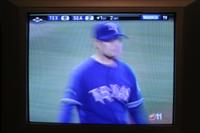 |
3. The slowest shutter speed you should
use is 1/30th or 1/25th of a second depending on the type of video standard used in your country.
This is because NTSC videos are displayed at 29.97 fps (frames per second) and PAL videos
are displayed at 25 fps. If you live in North America, Japan, Korea, the Philippines and parts
of South America, your monitor is most likely NTSC; other parts of the world use PAL. Using anything
slower may create a blurry photograph.
If you need to use different a shutter speed, try using shutter speeds closest to numbers in
multiples of 30. For example, if you want to use a shutter speed of 1/100th of a second, consider
using 1/125th of a second instead. Although 1/125th of a second isn't a multiple of 30, it's
close to it and the difference between 1/125 and 1/120 is minimal.
|
|
FAQ
Q: Why does using a flash automatically fix the problem?
A: It's not the flash that's fixing the problem, it's the shutter speed. Most camera
default their shutter speeds to 1/60th of a second when flash is enabled.
Q: How do I photograph a LCD?
A: LCDs should also be taken with the same shutter speeds as CRT monitors. Although
they don't flicker, they also have a refresh rate (mostly 60hz or 75hz). However, if the object displayed
on the LCD is stationary, any shutter speed will work. Also remember to take the photo in the right
angle. Many LCD monitors have a narrow viewing angle.
