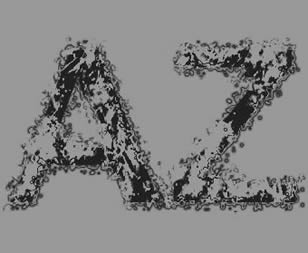
So the result will look if we are ready.
Grunge text made in Fireworks, also as a style this one can be saved.
This style can be applied to all fonts.
Our canvas have a size of 350 x 350 pixels and we choose a dark gray as background color.
Next we insert the text.
For the better representation I have given him a size of 250.

Then go on filling options, choose patterns and there dark patterns!
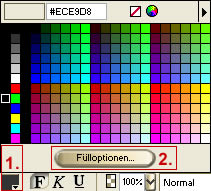
So the result looks!
We must change the text into gray colors as next. There are two possibilities for it:
1st text mark - orders - creativ, gray level conversion
or
2nd text marking - effects - hue/putting repletion on -100
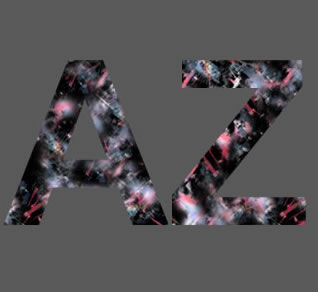
So the result looks!
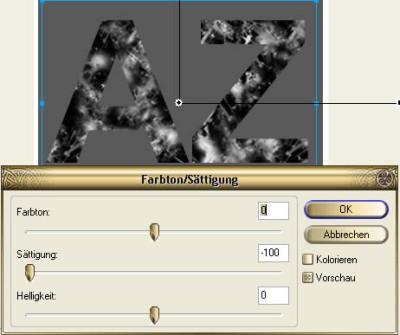
Next:
Mark text and put from Normally on Multiply. Looking like on the picture in the right.
This makes the bright places transparent.
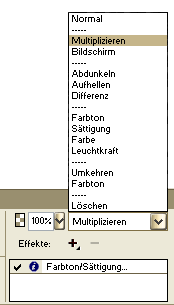
Then give the text following Effect :
Effects - match color - brightness/contrast
It adjusts to see on the right like in the picture.
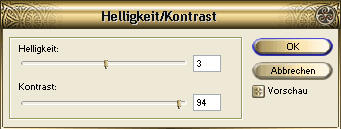
Then another effect:
Inner Shadow with the attitudes to be seen on the right
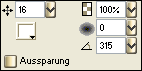
This is the final result!
Experiment with the patterns, this then gives completely different effects again.
However, don't forget always to put the text on Multiply!
The whole can be saved also as a style and also be applied to other objects. But also there: put on Multiply again and again and always set the gradient to the left lower corner to avoid step effects.
Here you can download the sourcefile!
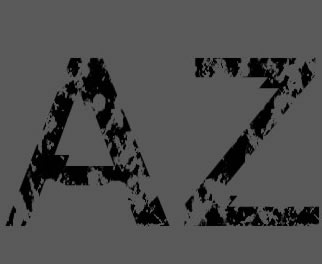
You still can adjust the brush lines for the edge.
Bordercolor - Black
Brushoptions - Unnatural - Liquid Splatter.
This style is applicable to all fonts.
