

Here we're going to make an matrix effect.
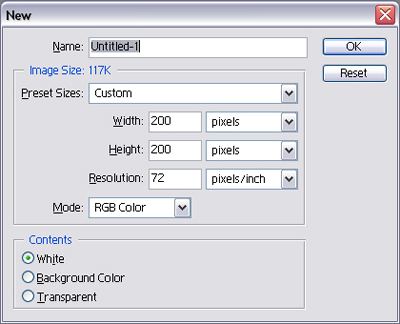
1. Make a picture in 200*200 pixels. Press "D" to restore the background colors. Hit "Shift+Ctrl+N" to make a new layer.
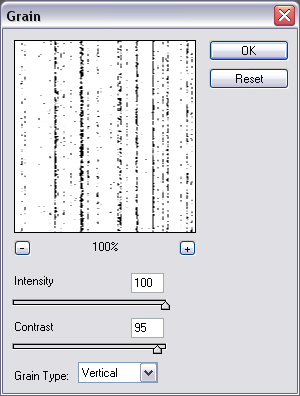
2. Go to "Filter - Texture - Grain" and apply the following settings.
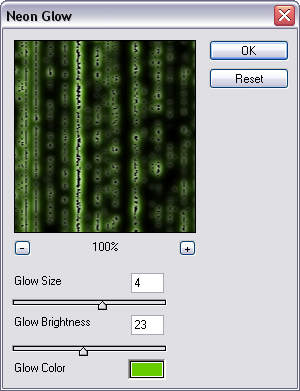
3. Add some neon glow by going to "Filter - Artistic - Neon Glow" and use this settings.
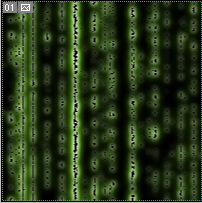
4. Your picture will look like this now.
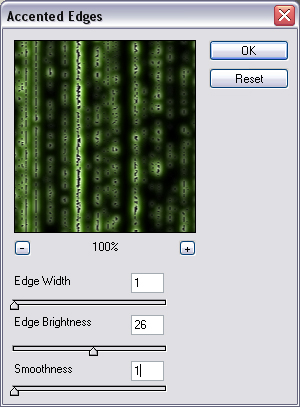
5. Now go to "Filter - Brush Strokes - Accented Edges" and use this settings.
6. Your Matrix Effect is now finished! It should look like this now.
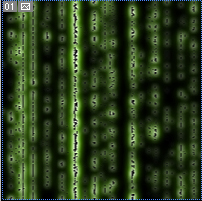
Congratulations! You've now made your own matrix effect.
