This is just a simple tutorial on how to save your images with transparency.
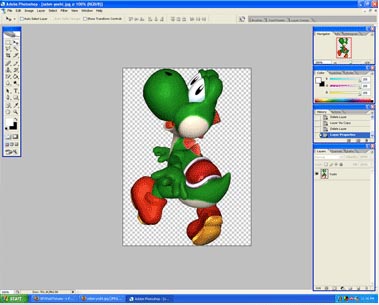
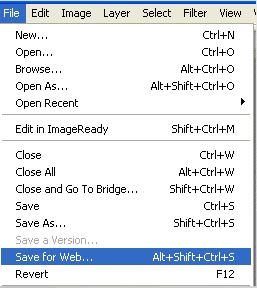
Okay here is my beatiful Yoshi Cutout. to save this we need to go to file to save for web.
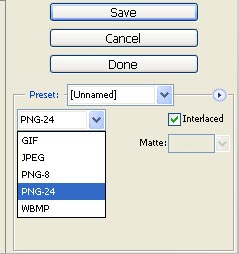
Change the file type to PNG-24.
Check Transparency and Interacted.
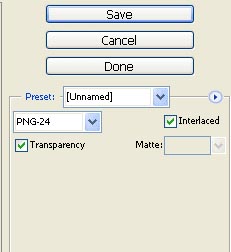
And with that you are done, just save your file, and upload it like you would a normal Gif or Jpeg.

Online Photoshop Courses
Useful Photoshop books:
- Adobe Photoshop CS6 Classroom in a Book
- Photoshop CS6: Visual QuickStart Guide
- Photoshop CS6 For Dummies
- Adobe Photoshop CS6 Digital Classroom
- Photoshop CS6: The Missing Manual
- The Adobe Photoshop CS6 Book for Digital Photographers
