

Easter eggs are an unexpected surprise, perhaps a message, an image, or a sound, hidden in a Web site or in an application program. This is one of the Easter Eggs found in Photoshop called "Merlin Lives."
To see this Easter Egg, go to the Paths palette, hold the Alt Key (Mac: Option) and in the palette's pop down menu, choose Palette Options. When you do, a palette will appear with a picture of Merlin.
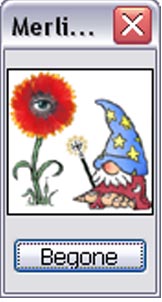
Pretty cool eh? So yeah happy easter to all you guys and enjoy this easter egg treat. (btw this only works for photoshop 5+ (thx dereko04011 for correcting me) sry if you have photoshop elements or smthing)
