

Hellow there.....this tutorial i want to show simple glass filter that you can use on all of your images maybe there is same or very close tuts. in here but im saving you from a search (i didnt search too).
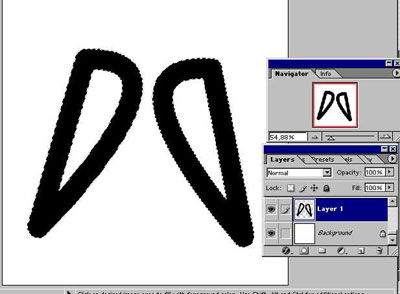
Open a new 800x800 canvas.....creat a new layer in black color...put your text,your image,or just draw something with brush.....it should almost fill the canvas....but not full....
Press Ctrl and click to your new layer and make a selection.....
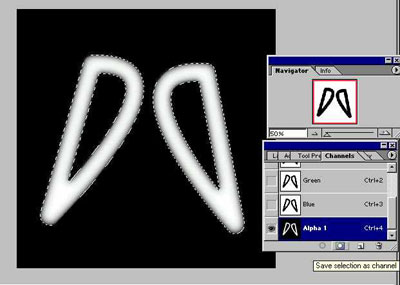
Than go to channels palette....and click save selection as channel...dont de-select yet.....still on your new chanel (alpha 1) press "D" on keyboard and go Filter>Blur>gausian blur.....and give this numbers by order....to make smoother image
Gausian blur....9 click ok
Gausian blur....6 click ok
Gausian blur....6 click ok
Gausian blur....3 click ok
Gausian blur....3 click ok
Gausian blur....1 click ok
After that deselect it.....and press "CTRL+A" to select all channel....than press "CTRL+C" and copy it to clipboard.......than open another new canvas(800x800)....and press "CTRL+V" to paste it....save the file any name u wish in this case i name it "glassbisi.psd" now you can close this.....
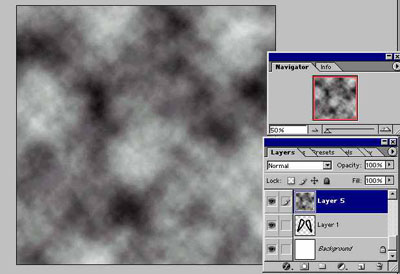
Return to your image.....creat a new layer on top of all layers....go Filter>Render>Clouds
......than go Fİlter>sketch>Chrome.....give "Detail = 4" "Smoothness = 7" press ok.....than go Filter>artistic>plastic wrap give each of them "10" and click ok.....press "CTRL+U" and open hue/saturation......colorize checked....i gave "hue=190" "saturation=60" "ligthnes=10" u can change this if u wish
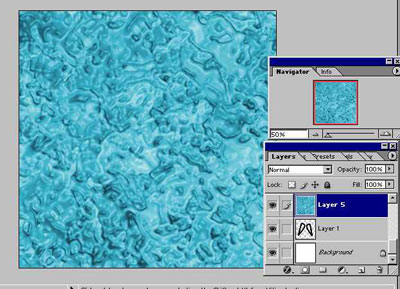
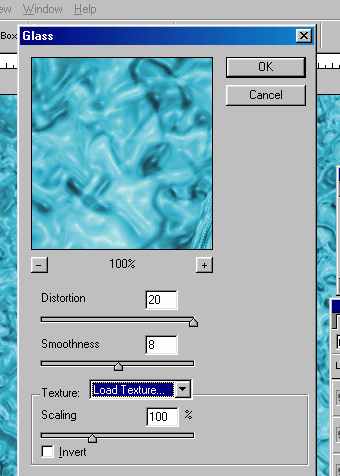
....now go to "Filter>Dİstort>Glass" from dropdown menu choose "load texture" select your textrue that you saved before for me its "glassbisi.psd" set the numbers as show below...
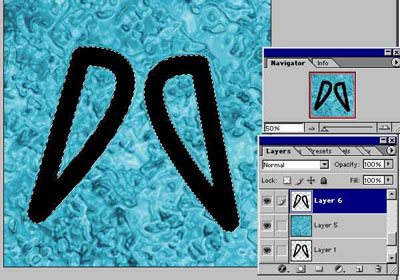
Than creat new layer at top of all layers...press ctrl and click to your "layer 1" to make a selection.....fill it with black on the new layer
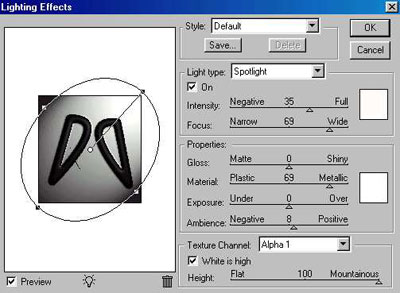
Than go "Filter>Render>Ligning effects from dropdown menu select your reflective channel (Alpha 1) and set height to 100 mountainaus as shown below set blending mode of new layer to "screen"....
T han open blending options of top layer ( click twice on layer)
and use theese....
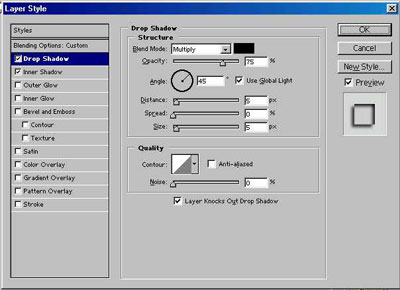
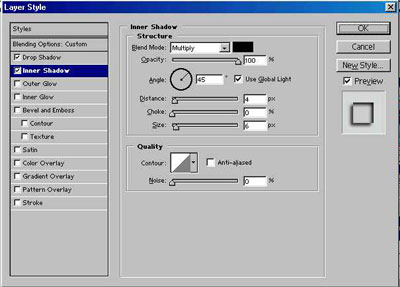
Now thats all you may play on blending modes and hue/saturation to get satisfying results......you can use that filter technique on any image background.....
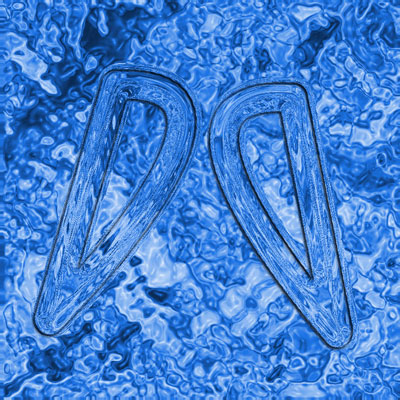
Here's what i finish with.....
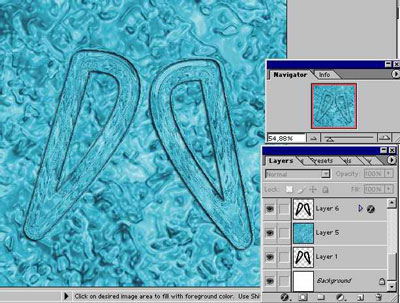
Hope this will be usefull for you.....
