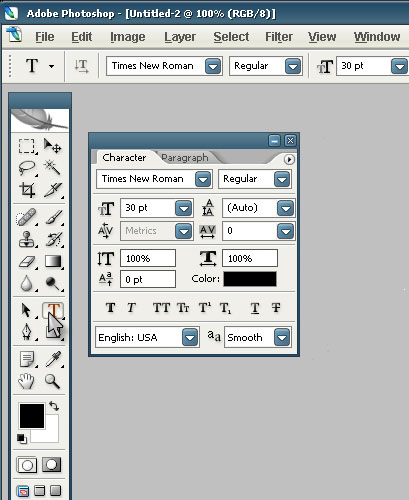
Select Type tool (T) and use the following settings:
Then type down any text. Duplicate your layer (ctrl+J).
Then go to Edit --> Transform --> Flip Vertical. Select Move (V) tool and move a bit down (optional).
Next change the opacity of the text layer to around 30%.
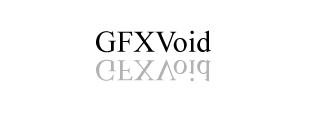
Then you should have something like this: