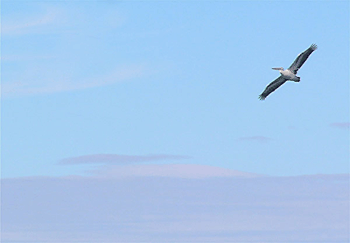
Note: This tutorial was done using Adobe Photoshop CS2
This tutorial will teach you how to remove objects automatically in pictures using a new tool in Photoshop CS2. Spot Healing Brush Tool is a new type of Healing Brush tool that is introduced in Photoshop CS2, which does not require you to select the source as you normally do with Healing Brush tool. Though you cannot use this technique on all circumstances it still can be used on some pictures and save time for you.
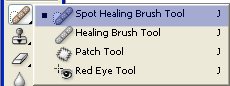
1. Spot Healing Brush is located under the Healing Brush tool collection. Press the Healing Brush icon longer and select the Spot Healing Brush Tool.
2. For this tutorial we will be using image from Stock.Xchng. Open it in Photoshop and still Spot Healing Brush Tool selected paint on the bird.
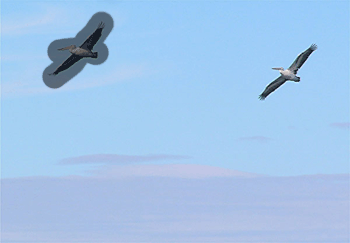
3. After you release your mouse you should see that the bird has disappeared nicely. As you can see Photoshop has taken into account the surrounding areas of the bird and seamlessly painted the place with the similar colors.