1. Open a new document , fill the background black and write some white text.

2. Click 'Filter' > 'Stylize' > 'Wind' (method:wind; direction:from the right). Now press 'Ctrl + F' to re-apply this effect.

3. Repeat step two but change the 'direction' to 'from the left'.

4. 'Edit' > 'Transform' > 'Rotate 90 clockwise' now repeat step 2 and step 3.
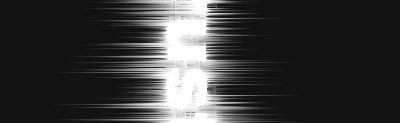
5. 'Edit' > 'Transform' > 'Rotate 90 anti clockwise'

6. Create some black text to overlap the text effect we just made in previous steps, change the opacity to '35%'.

7. Go back to the text effect layer and press 'Ctrl + U' (which brings the hue/saturation dialog up, that allows you to change the colors).