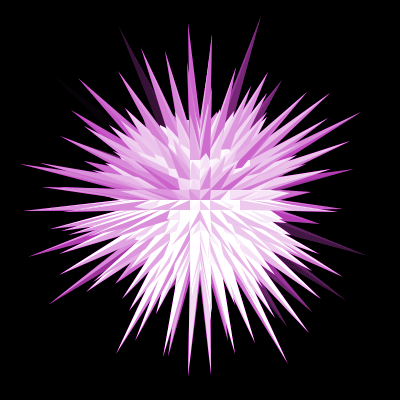
1. We start by taking opening a new document - sized 400*400 with a black background, then select the elliptical marquee tool and scale out a circle the same size as mine below .. and fill it white.

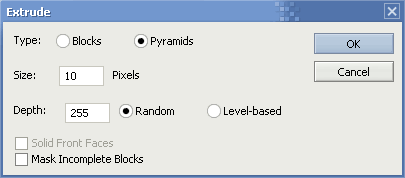
2. Click 'Filter' > 'Stylize' > 'Extrude' now select the following values:
3. Add some color with the hue/saturation dialog 'CTRL + U' and you're complete.