

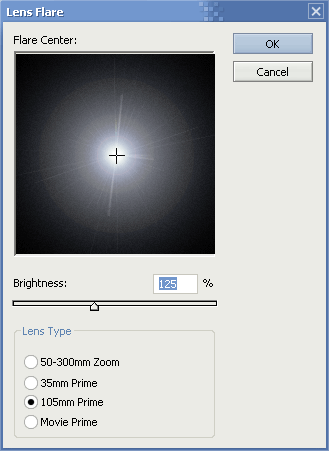
1. Open a new document sized 400x400 and a black background. Now click 'Filter' > 'Render' > 'Lens Flare' and enter these settings:
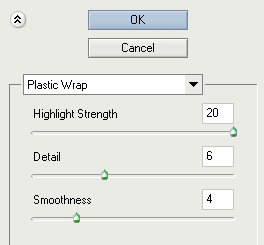
2. Next we click 'Filter' > 'Artistic' > 'Plastic Wrap' and enter these values:
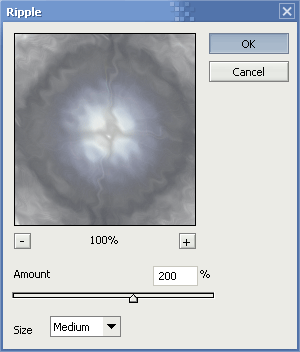
3. Click 'Filter' > 'Distort' > 'Ripple' and enter these values:
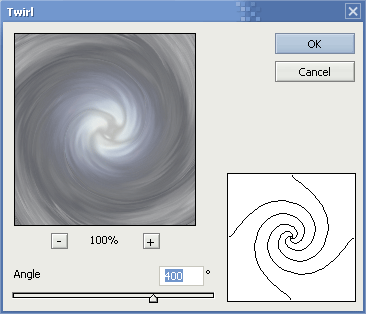
4. Click 'Filter' > 'Distort' > 'Twirl' and enter these settings:
5. Now we have the overall base of our Fire Ball, lets add some color.. hold 'ctrl' and press 'u' - this will bring the hue/saturation window up. Enter these settings:
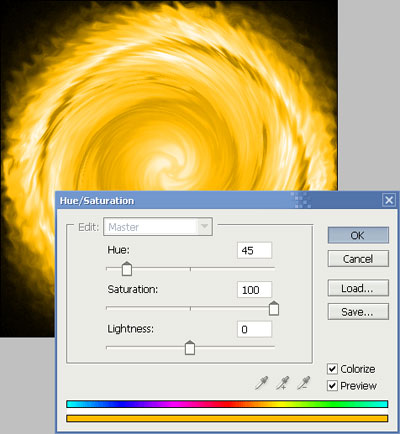
Click to enlarge
6. Just to get a better fire effect, duplicate the layer and set the new layer mode to 'overlay' - your result should be:
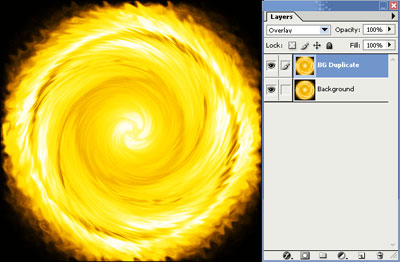
Click to enlarge
