1. Open up a 650x100 white document and select #5C7CAE for your primary color. Your background color should be white or a light color. Select a rectangle and make sure to leave 2 pixels off the edges and use the gradient tool to make something like this.

2. Now at the bottom of the rectangle, first add a white line, then a dark grayish line, and then the first color you started off with, #5C7CAE.

3. Now select from the last line you created to the bottom of the image with your rectangular marquee tool. Choose #75B875 for your primary color, and white for the background color. Do the same thing as you did for Step1 by using the gradient tool to fill it in.
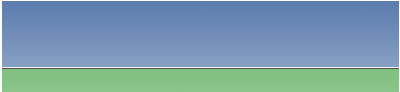
4. Now just add some text, and maybe a logo and you're done!

Here's another example of the tutorial.