1. Open up a 500x250 white document
2. Choose the text tool and write whatever you want with the color "#00FF48" In this tutorial, I chose the text " Lime Green " with the font as "Impact"

3. Right click on the text layer on the layer panel and click on Blending Options and use these settings
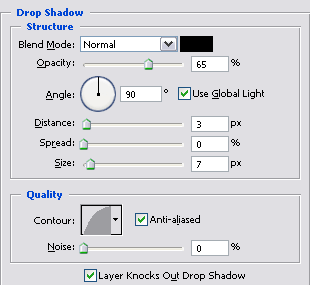
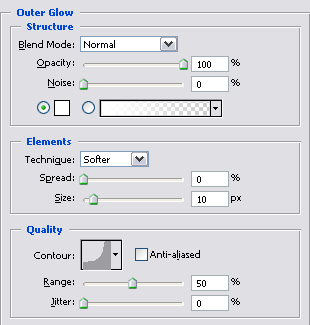
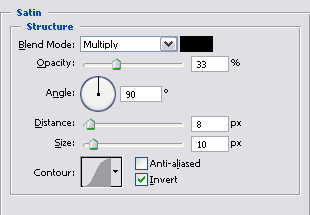
4. With the blending options, your text should look something like this.

5. With some details, this is what I came up with