1. Open up a new image. Choose what ever size you want. I choose 900x400
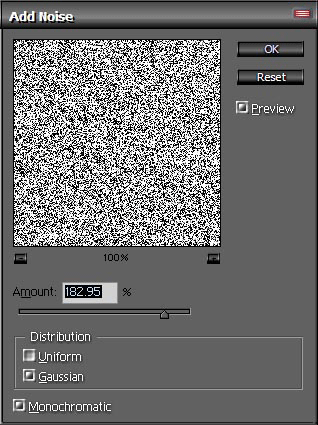
2. Then go to Filter>Noise>Add Noise and use these settings.
Amount-182.95%
Distribution-Gaussian
Monochromatic
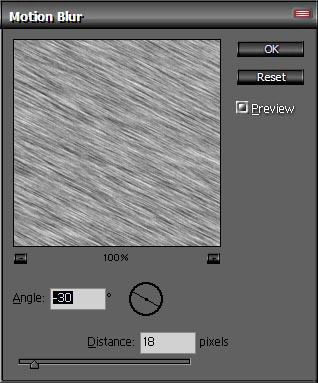
3. Now go to Filter>Blur>Motion Blur. Use these settings
Angle -30
Distance-18
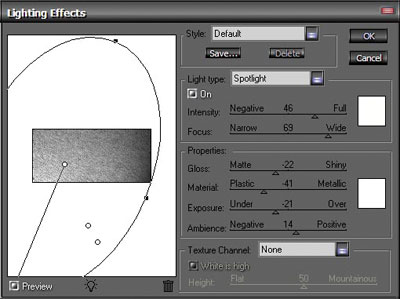
4. Go to Filter>Render Lighting effects> use the settings you see in the pic below.
5. Add some things you want and your pic will look like this.
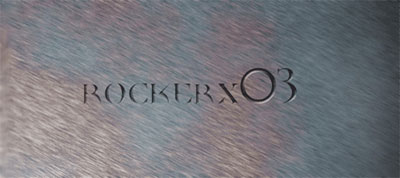
Click to enlarge
