


This tutorial was written for the Flash Designer software, which allows you to create flash animations in a much easier way than by using Macromedia Flash. You may get Flash Designer here.
The following tutorial illustrates the simplest ActionScript code.
1. Launch Flash Designer and choose "Blank document" from the startup screen.
2. Choose "Edit Field tool" and draw a rectangle to create edit text object. Edit field should appear as "Edit1".
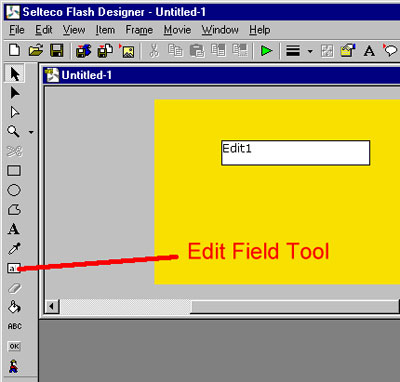
3. Choose "Frame" > "Frame Delay", check "Stop" and click OK.
4. Choose "Frame" > "ActionScript", type the following code and click OK:
| Edit1 = "Hello World!"; |
Press F9 to preview in Flash player.
ActionScript code is executed on frame entry.
Hit "Esc" to quit preview.
To export Flash file choose "File" > "Export SWF File". Type the file name and click OK. To insert Flash in your web page choose "File" > "View HTML Code". Select entire HTML code, right click mouse button and choose "Copy" from the popup menu. Click Close. Paste the code to your HTML page.
