


This tutorial was written for the Flash Designer software, which allows you to create flash animations in a much easier way than by using Macromedia Flash. You may get Flash Designer here.
This tutorial explains how to change default animation flow in Flash Designer.
By default the animation runs from the first frame to the last frame and then it loops to the beginning. Each frame lasts 1 second on the screen. In the following examples we will use 3 frames numbered 1,2,3:
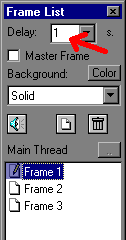
To change frame duration (delay) use the "Frame List" toolbar:
Stopping the animation
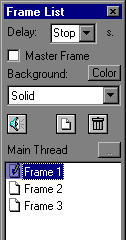
To stop the movie at particular frame change "Delay" to "Stop", or choose "Frame" > "Frame Delay" and check "Stop" option.
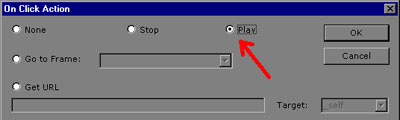
To start the animation when the users clicks a button, draw a button and set its "OnClick" action to "play" (select the button and choose "Item" > "Actions" > "OnClick")
Jumping on mouse click
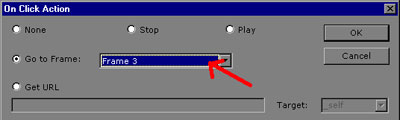
To jump to a particular frame change "OnClick" action to point to desired frame.
Unconditional jump
To change default frame flow unconditionally use "Frame" > "Loop" command. Choose what frame should be displayed after the current frame:
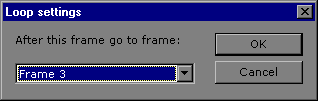
In the following example we jump to "Frame 3" immediately after "Frame 1":
