


This tutorial was written for the Flash Designer software, which allows you to create flash animations in a much easier way than by using Macromedia Flash. You may get Flash Designer here.
Note: In Flash Player 8 this method will give a security warning. Use FSCommand method.
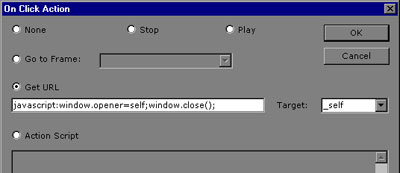
Call JavaScript function in Flash using OnClick action:
| javascript:window.opener=self;window.close(); |
You can also use:
| javascript:window.close(); |
but the browser will prompt to confirm.
Creating "Close" button
1. Choose "Frame" > Inset Symbol" command
2. Choose the following symbol from "Wingding" list:
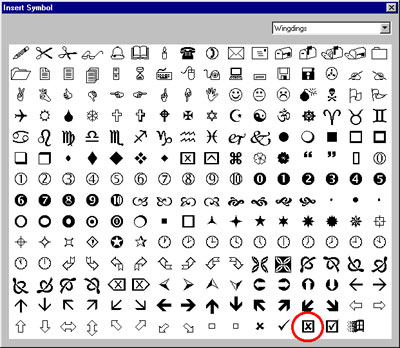
Click to enlarge
3. Choose "Item" > "Actions" > "OnClick"
4. Choose "Get URL" action and enter the code:
| javascript:window.opener=self;window.close(); |
Click OK
5. Choose "Item" > "Actions" > "On Over Color", uncheck "No Color" and select your favorite color, click OK
