


This tutorial was written for the Flash Designer software, which allows you to create flash animations in a much easier way than by using Macromedia Flash. You may get Flash Designer here.
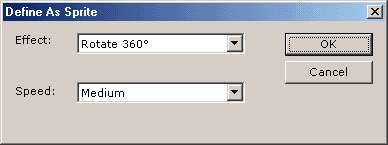
Each object defined as "Sprite" will be animated in infinite loop using its intro and outro animation. To define a "Sprite", select the item and choose "Sprite" command located under "Item" menu. Choose one of predefined animations or set other intro and outro transformation.
Advanced Sprites
In the following example 3 sprites are defined - the bird, shaking egg and blinking question mark.
Creating a sprite
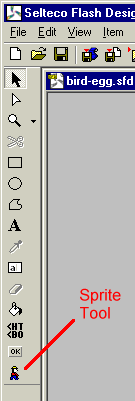
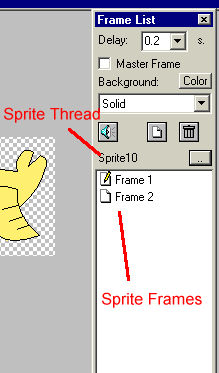
Choose "Sprite Tool" and draw a rectangle enclosing a sprite. After releasing mouse button Flash Designer will display sprite thread. In the sprite thread you can add new frames, define objects and animations.
To exit sprite thread choose "Movie" > "Go to Main Thread" command. To enter sprite thread back double-click the sprite.
Importing External Sprites
Сhoose "Movie" > "Insert SWF Clip" to insert a sprite in SWF format. External clip can not be edited and in design view it's displayed as blank rectangle. You can preview it in Flash preview only. Press F9 to preview the animation.
