This tutorial was written for the Flash Designer software, which allows you to create flash animations in a much easier way than by using Macromedia Flash. You may get Flash Designer here.
Animating Objects
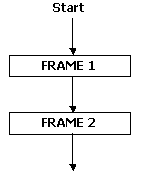
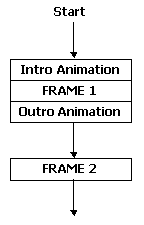
Selteco Flash Designer provides a number of ways to animate objects. When no animations are defined, each frame is static. In this example the movie consists of 2 frames, 1 second each:
Intro Animation
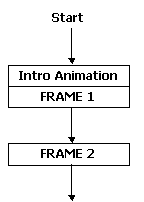
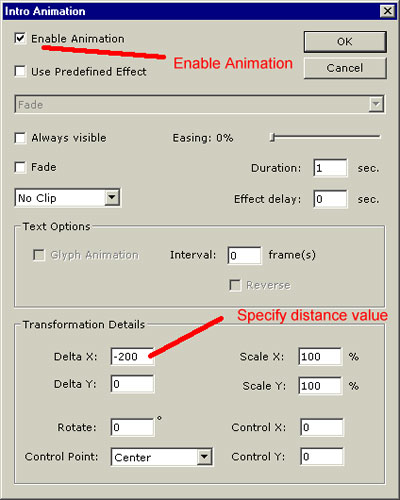
Intro effect, when defined for an object creates animation before frame is displayed. In the example below text "FRAME 1" has intro animation effect defined. During the animation the text "FRAME 1" moves by 200 pixels from left:
To add the animation, select the item and choose "Item" > "Intro Animation" command:
Outro Animation
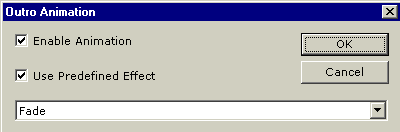
Outro effect, when defined for an object creates animation after frame is displayed. In the example below text "FRAME 1" has additional "Fade" effect defined as outro animation:
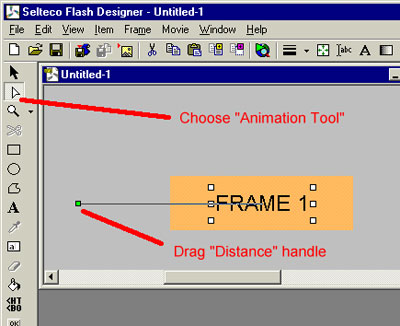
Adjust animation distance with "Animation Tool". Choose the tool, click the item to select it and drag green or red handle to change the distance. Green handle indicates Intro animation distance, red handle - outro animation.