

This tutorial will teach you how to create this background.
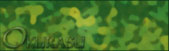
First of all you need to get two colors that are army like. Green and a tan yellow. Then press Filter > Clouds. And then Filter > Difference clouds. Press Ctrl+F a few times till you get something like this
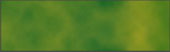
Then press Filter > Sketch > Bas relief and mess around with detail and smoothness. I used 15 and 4. For the last thing press bottom. It should look like this.
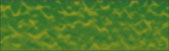
Once that's done press Filter > Texture > Stained glass and use
Cell size: 10,
Border thickness: 2,
Light intensity: 1.
It should now look like this
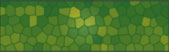
Once you have that, press Filter > Artistic > Sponge and mess around with them till you get something you like. I used
Brush size: 9,
Definition: 23,
Smoothness: 12
And you are done. Just add your text and whatever else you want. I just did text for this tutorial.
Hope you liked the tutorial and will try it sometime.
