

Another one of my tutorials, this one will show you how to make a kewl morphing logo like this.

1. Open up a new flash document (mine is 300x100).
2. Make the background the appropriate color.
3. Add text.
4. Right click on the text and select the option "break apart".
5. Repeat step 4.
6. Right click on frame 20 and select the option "insert keyframe".
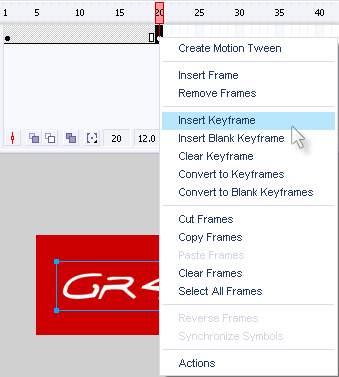
7. Change the text in frame 20 to what you want the text to morph into (you can also change color but I cbf).
8. Repeat steps 4&5 on the text in frame 20.
9. Click on any frame from 1-19.
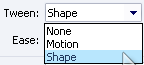
10. In the properties window click on the "tween" drop-down menu and select "shape". You will now notice that frames 1-19 have gone green with an arrow through them.
11. Right click on frame 25 and select the option "insert frame" (this is so people actually have time to see the morphed text).
12. Click file>export>export movie, then save it as an animated gif then a new window will open, just click ok and accept the default settings.
There you have it, a morphing logo thing.
