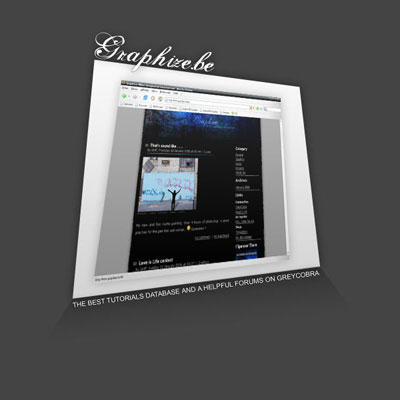
Learn how to create a trendy modern splash screen for your website using some perspective altering techniques in Adobe Photoshop!
This is a great effect that will make your splash screen seem to pop out by giving your front-page art a bit more depth.
#1
Open a new document 800x600. This size is of course optional but really recommenced. Fill the background with a dark gray #444444. Now, take the rectangle shape tool.
#2
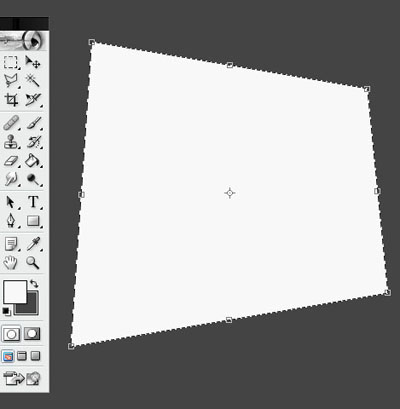
Make a rectangle shape with a light gray like #F8F8F8. Go in Edit > Transform > Perspective and do something like the image below. This will be the base of the splash screen.
#3
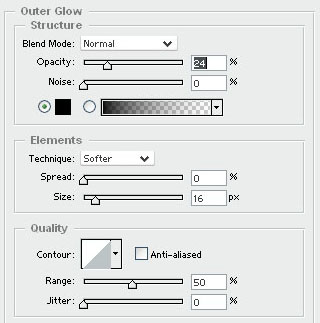
Go in the blending options of your shape. Set up a outer glow with theses settings:
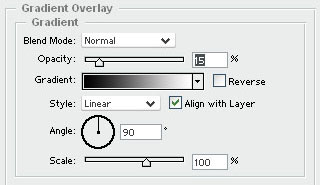
Set up a gradient overlay with theses settings:
#4
Now, we do the shadow of the shape so take the polygonal lasso tool. Make a new layer. Make a selection shape like the image below:
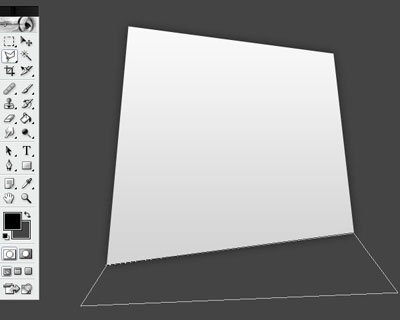
#5
Fill the new selection with black color and set up the opacity at 20%. You should have this result:

#6
Now, take the last layer and add a layer mask.
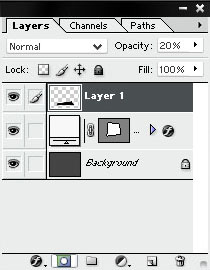
Take the gradient tool and do a gradient where the shadow is it.
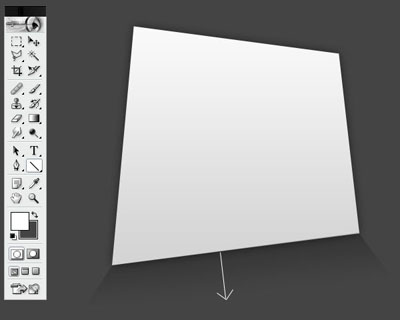
#7
Now, go on your website and take a screenshot. Repeat the step #2 but make it smaller than the first. Add the same blending mode and you should have this result (I take my we blog for the example):
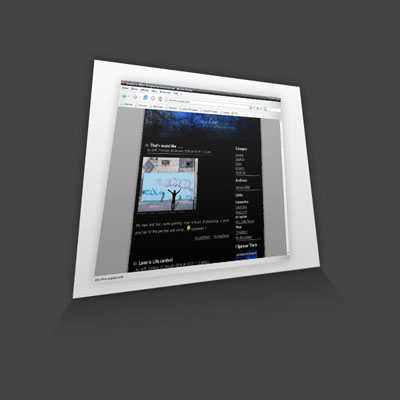
#Final
Add your personal touch (text, logo, slogan, etc..) and make your splash screen more W-O-N-D-E-R-F-U-L. Think to check out the big tutorials database of GreyCobra.