

Learn how to create a simple metallic text effect using blending options in Photoshop.
This tutorial will teach you how to create metallic text, using blending options.
Create a new document. Size doesnt matter, but mine was 300x100.
Fill it up with black. Then, pick a font and type something. Select a reasonable size, mine was 68pt.
Now, go to the text layers blending options and add in the following blending options:
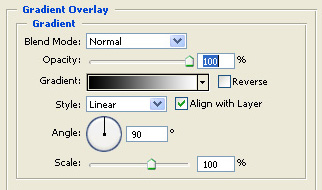
Graident overlay:
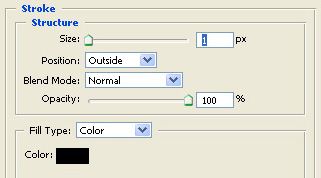
Stroke:
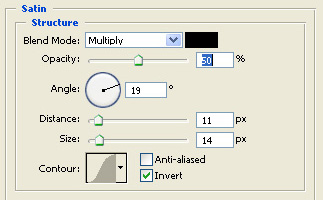
Satin:
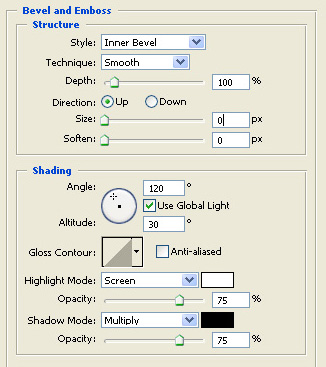
Bevel And Emboss, Contour:
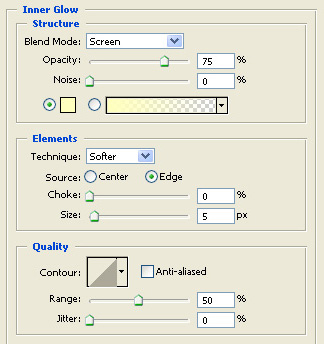
Inner glow:
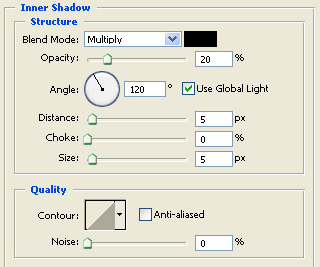
Inner Shadow:
My results were this:

I hope you liked the tutorial.
