Start off by opening a signature/graphic you'd like to add the effect to.

Next add text
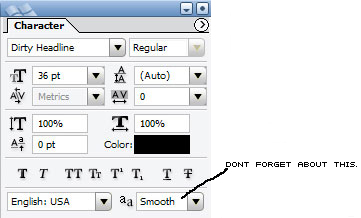
 into the document. Here's the settings I used for character.
Now you should have something like this.

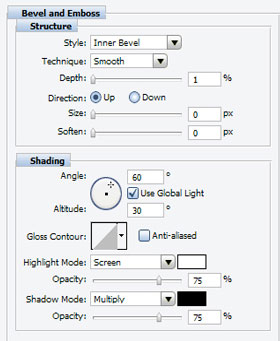
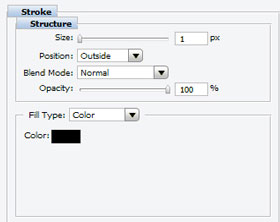
Now time to put the effects into position. Look up at the main menu and click "layer". Now scroll down to " layer style". Then click "blending options". Follow these settings for each step.
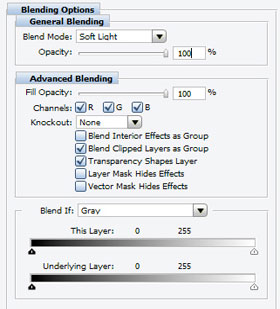
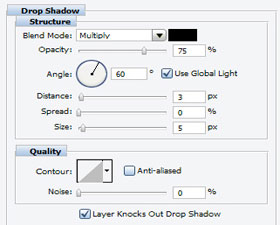
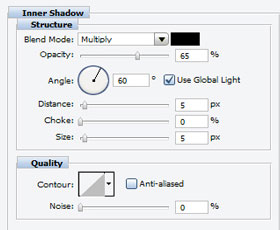
Note. This works very good if you have it under a color balance. Also, you give it a little better feeling, add a gradient overlay, but you must have a color balance above it for a gradient overlay to work good. Congratulations on finishing this tutorial. I hope it was very helpful. Here is my result without the gradient overlay.