

This Photoshop tutorial will teach you an excellent technique for creating neat abstract contrail lines for your digital art works.
1. Create a new document and fill it with a black background. I am going to make mine 300x400 for viewing purposes in this tutorial, but you may want to make yours larger:

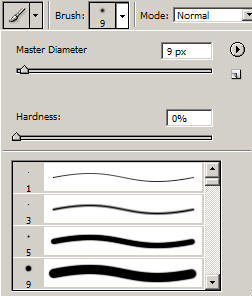
2. Select White as your primary color. Now, select your brush tool, and set up a simple brush with the following settings in Photoshop:
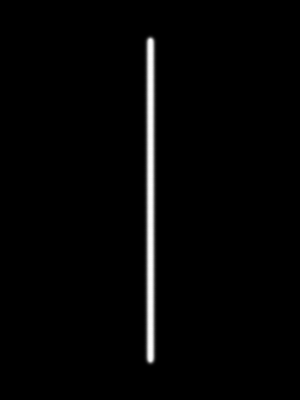
3. Create a new layer in your Photoshop document, and while holding shift, draw a line down the center of your image:
4. Now we need to distort our line using one of Photoshop's Distort Filters. Go to Filter > Distort > Shear. Set up the options for the shear as follows:
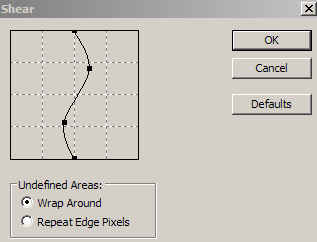
5. Click ok:
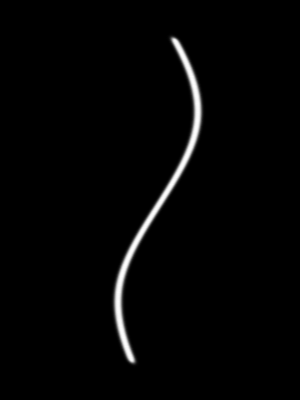
6. As you can see, this has distorted our line into a neat bending line. Touch up the ends of the line with a small soft eraser tool by making the ends sharper. Just try to erase one side of the line, and gradually move inwards. Zooming in may help:
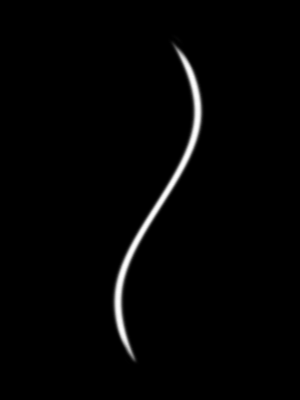
7. Now, duplicate this layer, and go to Edit > Transform > Flip Horizontal:
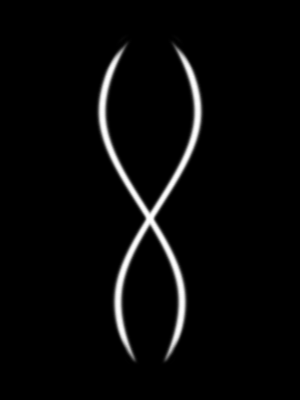
8. Place both of these layers into a layer set (Folder Icon in Layers Palette > Drag both of the line layers into the folder), and duplicate the layer set. Now Click Ctrl + T (Transform), and while holding shift, make it smaller in size.
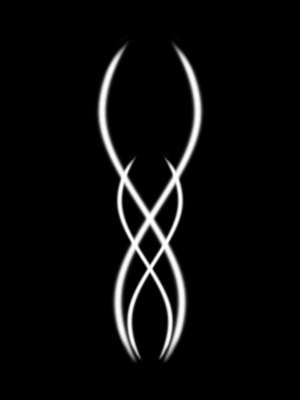
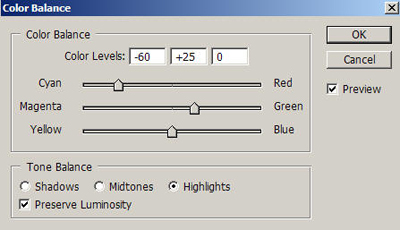
9. Now, create a new Color Balance Layer (Layer > New Adjustment Layer > Color Balance), and fill in the following settings under Highlights Tone Balance:
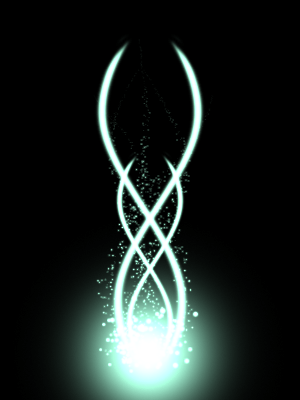
10. Your effect is basically done! Now you just need to apply it to one for your artworks, or digital renders from a 3d application such as cinema 4d. One effect I like to create with these looks like a combination of Particle effects and Contrails. You can see an example below:
Good Luck!
