This tutorial will teach you how to create a cool industrial style grunge signature with brush patterns, and blending modes. This is one of the easiest grunge techniques out there! If you have photoshop and want to learn a cool technique, this is a great place to start :)
1. Create a new document (400x100):
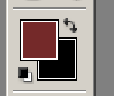
2. Select Black as your background color, and a dull color of your choice as the primary color:
3. Click Filter > Render > Clouds:

4. This effect will create a cloud style with the two colors you chose. Create a new layer. Now set up a brush like this:
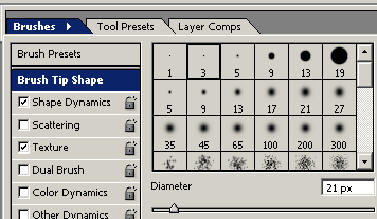
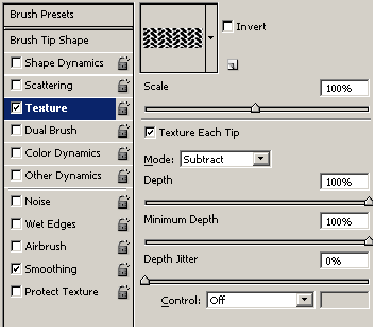
5. Using your primary dull color, start stroking back and forth on your new layer. Set this layers blending mode to Color Dodge:

6. Create a new layer, and repeat this process 2-4 times:

7. Select your eraser tool, and set the size to about 100px and hardness to 0%. Brush on the outer parts of each layer with the brushing in it:

8. Finally, add some text, and your done!