


1. Create a new document, and fill it with black:

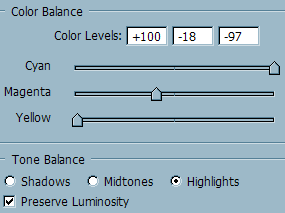
2. Create a new color balance adjustment layer (Layer > Adjustment > Color Balance). Set it up as shown below:
3. Click Ok. Now, create a new layer and put it under the color balance layer. Using a size 100px brush with 0% hardness, make a white dot near the center of your document:
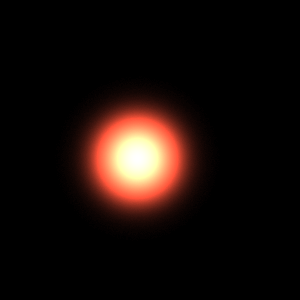
4. As you can see, the color is not white. Our color balance has replaced the lighter parts of our document with reds and yellows. Select the smudge tool from your toolbar:

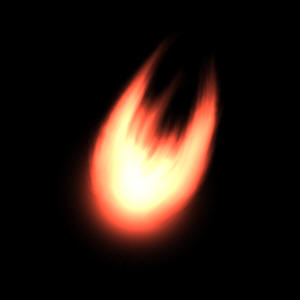
5. Select a brush of your choice (preferably a rough one), and begin to drag out on the sides of your dot to make two tails come out:

6. Continue to smudge your image until you get the results you desire:
Good Luck!
