Ever want to make a kick *** wallpaper like the pros do? Well here I'm going to tell you how to make wall papers like

or some of AK's! This will teach the novice wall paper designer the basics to designing and laying out a wallpaper!
Step one create a new document with the following settings:
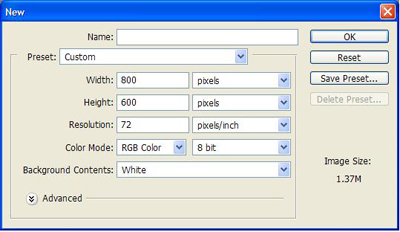
Now grab your gradient tool and draw a line going to the right starting in the middle of the white.
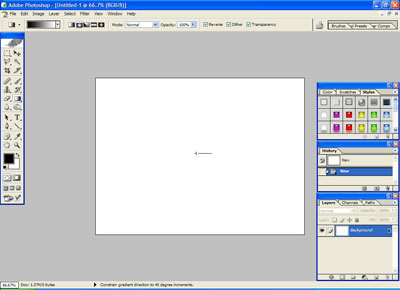
You should get the following:
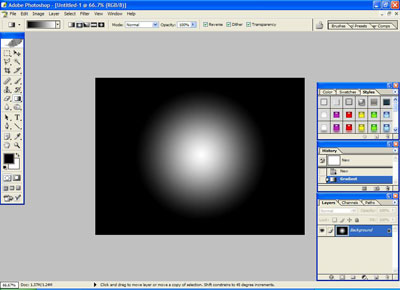
If the circle is not around the size as mine, undo it and draw a longer line. It should be roughly about that size. This will be explained in a moment.
Now, you'll need a C4d or other 3d render for this tutorial. If you do not have one here is one:
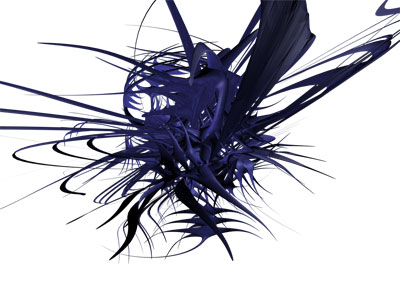
Once this is done ctrl+click the layer with the render on it and copy it to the wall paper. adjust it to the center of the circle. Press shift+ctrl+u to desaturate it.
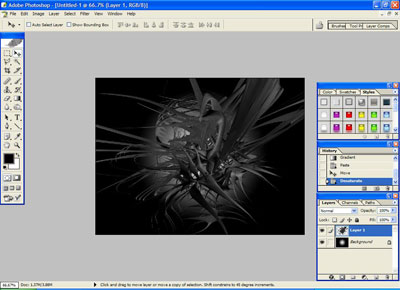
Now comes the fun part! Download the starry brushes from the main portion of akpro.net, its under brushes! Load the brushes and we'll begin the star brushing! Make a new layer (SHIFT+CTRL+N) and set your foreground color to white. (Press d then x!) Brush LIGHTLY around the render! (I used the 385 one!)
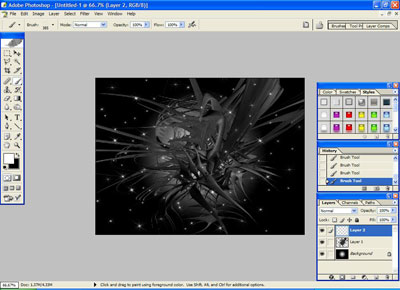
Now to create a vocal point! Select the 549 star as your brush.
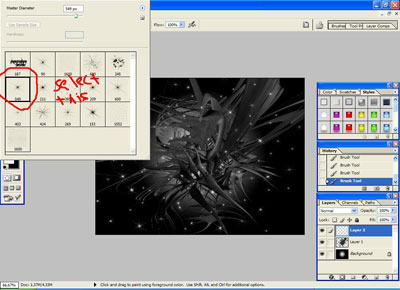
In the middle of the render you'll notice a point where everything comes together. Brush ONCE there! (Make sure your foreground is white!) Now select the brush next to it thats 211. Press d and brush in the middle of your white star.
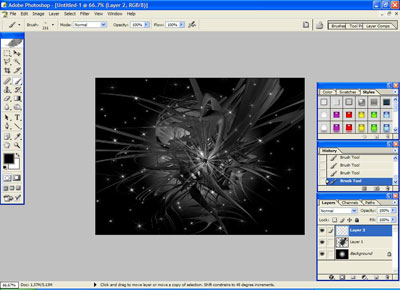
We're starting to get there huh? Near the bottem right you'll see a brush set to 153. Grab this one and brush with white a few times around the render at random. This will give it a good effect.
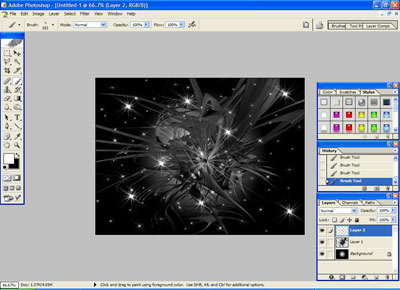
Now its starting to turn out. Lets add some tech brushes. You can go download some off deviantart. I'll use wurklash brushes.
Make a new layer. Add them as you see fit, and don't go to crazy. Think about how you place them.
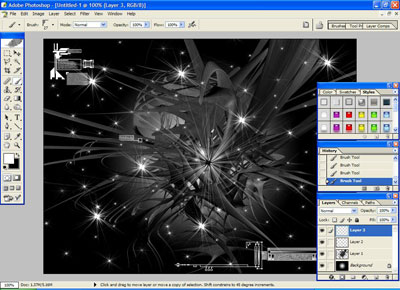
I'm sure you get the idea. Heres what I have so far:
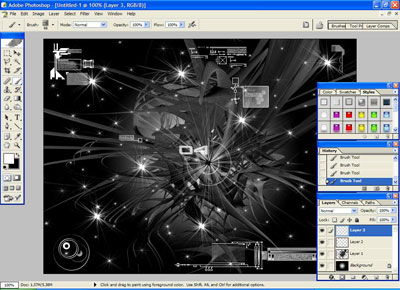
Now to add the text. Grab a pixel font, I'm using serious2b, and add the text somewhere where it isn't to noticable, but is readable. I placed mine in the top left.
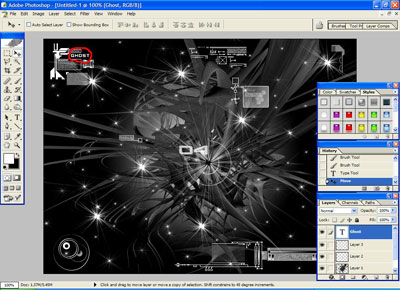
Now to finish this baby up. In the bottem left you'll see a symbol that looks like a ying yang thing, and select color balance.
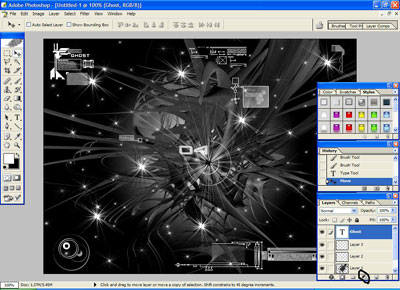
Play around with the sliders until you get a color you like. Set the sliders for each radio button. I chose to mess around til I got a nice bluish cyan color.
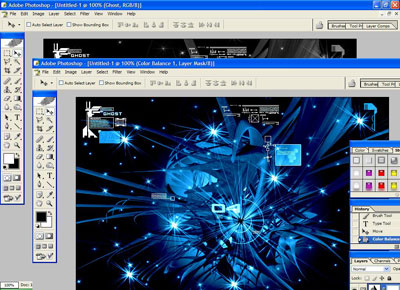
And congratulations! Your done! If you liked this tutorial, be sure to register!