

Another awesome tutorial by me :P
Start a 400x400 white file.
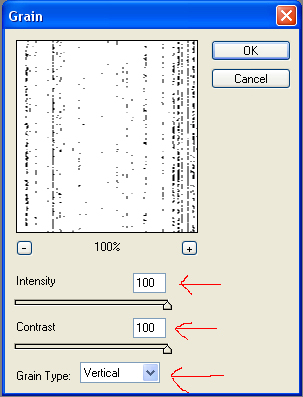
Go to "filter > texture > Grain..." and use these settings.
Set your foreground colour to " #7FFF00 " and your background color to " #000000 " (black) Go to "filter > artistic > Neon Glow" and change the glow color to " #7FFF00 ", click OK.
Now go to "filter > stylize > Find Edges"
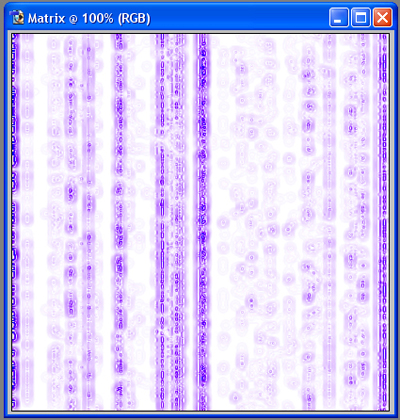
Now press CTRL + i and it will Inver the colours. This will bring out the matrix effect.

Simple but effective. Enjoy!
