


First of all welcome to my tutorial hope you enjoy making an iPod.
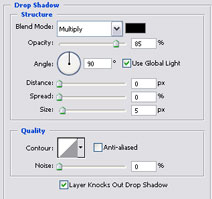
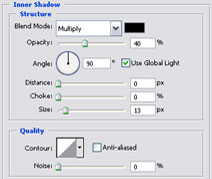
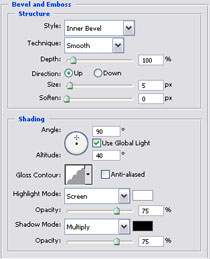
1. Now right click on your rectangular layer select blending options and use these settings:

After you have done these settings this is what it should look like

2. Now select Rectangular Marquee Tool again make a square and make it the same color as below.

Now you have done this right click onthe layer and select blending options and use these settings.
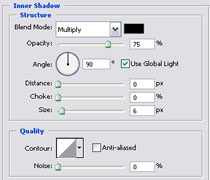
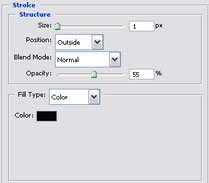
After you have done these settings place it on your Ipod background and this is what it should look like

3. Select the Elliptical Marquee Tool and make a circle like below (Make it the same color) and place it on your iPod then select the Elliptical Marquee Tool and make a little circle and press delete.

4. Now for the text, I used Cicago font, it's up to you want to put your iPod I put something different on mine and I added a line with Pencil tool.
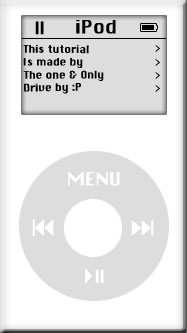
Now for the play, Left, Right PAuse buttons used the font called Webdings and for the battery It was a layer:

