 |
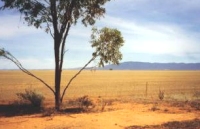
1. Open an image for editing. Copy and paste 2 layers (Ctl+C> Ctrl+L > Ctrl+L). |
|
2. Go to Effects and select the Motion Blur tool (Effects> Blur> Motion Blur). |
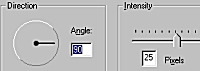 |
3. Set the angle to 90 and the intensity to 25 pixel. |
 |
4. You should end up with a photo like this. |
 |
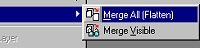
5. Merge all layers (Layers> Merge> Merge All (Flatten) ). |
 |
6. |
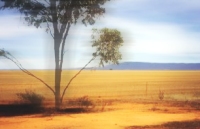 |
7. If all goes correctly, you should end up with something like this. |
Her
Windy Effect
Added:May 10, 2006 Rating:

 Level: Beginner Software:
Paint Shop Pro
Level: Beginner Software:
Paint Shop Pro
Level: Beginner Software:
Paint Shop Pro
